Right from the beginning because it has not ended, YET!
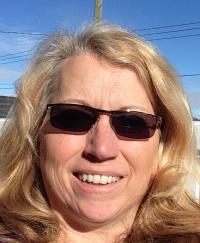
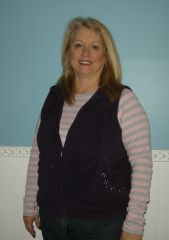
I am booked for Surgery in Tijuana one week from today. I am more excited about this than I am for Christmas, I swear! Nervous, not even. Everyday before my day begins I do more reading and youtube videos on the success and how to's, not to's, everything I can possible read, I have re-read, this in itself is motivation to keep focused and on the straight and narrow when on the diet. I even survived Easter, no Ham, no Chocolate. I had my salads for dinner and my protein shake. I was satisfied and for those who asked, I told them I was on a liver cleanse, no more questions asked. I have only told those very close to me what I am doing. I do not need or want to hear others opinions about my decision. The stigma that is surrounded with Mexico is negative and I am going to be one of those success stories that change that in our little town. I am in Sales and very visible and will be noticed , at that time I will tell my story, as for now I am happy telling people I have won a trip to San Deigo.
For anyone worried about the pre op diet, as I was. Here is my experience, the week before you start any kind of change start yourself by weaning off those bad foods, stop buying those potato chips for snacking, order veggies instead of fries, grab an apple instead of cookies, add more water. Then I began my week of salads and protein, as in chicken, fish, for dinner. My sugar/carb withdrawal headache only lasted a day. I have been down this road many times before and know that headache well. Then the next weeks transition to just green veggies with some tomato, peppers, and 3 protein shakes a day was easier to follow. I will admit to one Last Meal. The best steak house in the city, I had the filet migon with veggies. it was delish. Before my 3 shakes a day diet with veggies. Now I am one week before my surgery and it has been easy, but here are few of my tricks, one cupboard has all my supplements, jello, and protein shakes pre made, this way I do not have to go into the pantry. My kids are grown so I do not have to cook for no one. That really helps. I have had a terrible cold last week and ate a few popsicles however here is my biggest SECRET of all.... I take a few ounces of my chocolate Protein powder that I mix with No sugar Almond Milk and I put into my popsicle containers and freeze. This way I feel I am have a FUGSICLE!!! IT IS SO YUMMY!!!! Always have celery, broccoli, peppers chopped and ready for a quick snack, but the hunger is not there. Amazing how once the sugars and carbs are out of the system things change. I am down 11 pounds since I started this journey. God Speed to me for the next month. Thanks for listening.