ambremm
Gastric Bypass Patients
-
Joined
-
Last visited
-
-
-
-
The easiest foods to take along "on the go" we're packaged protein shakes. Your insurance may pay for the shakes, bariatric vitamins, and scar cream. Your doctor signs the form and the supplies ship to your door. My basement is full of insurance-covered supplies. The diagnosis your doctor should use is 579.8 intestinal absorption but after Oct 1, 2015 the code will be K90.9 and you will find the website insurenutrition.com. As a side note, my primary insurance did not pay for my surgery. It was not a benefit; excluded without exception...but that insurance paid for all my supplies. I only had a $20 copay. I paid $100 for 4 cases of these shakes through Amazon but only a $20 copay through insure nutrition using my insurance. Please check into it. They answer the phone when you call or will call back promptly. Good luck!
-
You beautiful young lady! Congrats on your decision to take control of your health. I am one year from surgery going from a size 22 to a size 8. I never imagined getting to a single digit pant size and I know you cannot imagine yourself there right now either, but you have made quite possibly the biggest decision of your life. You are so worth this journey. The cravings can be defeated with a short walk, even if this soon after surgery it's only a quick walk around the sofa. Stick with your food plan as prescribed by your doctor. Be the best you that only you can be. Take pictures often. What you won't realize is impressive weight loss will be an eye opener when you look at your photos. You will actually see it vividly. Your face will be noticeably thinner and your smile incredibly brighter. You are going to lose weight very rapidly at this time and it's a huge motivator. Sincerest, loving hugs to you.
-
-
-
Day 4 of my Pre-Op Diet plan and I finally have control of my hunger and cravings. Day 1 was full of excitement with the "I am gonna do this" attitude, especially with my surgery date now set for 9/9/14. Day 2 was a real bugger with an unstoppable craving for...Doritos, which is not something I would normally eat even on an unhealthy binge. I ate so much sugar free Jello on Day 2 to try to avoid caving in to this ridiculous craving. Day 3 had me on a road trip trapped in the vehicle with my husband chowing down on a breakfast sandwich and a package of chocolate covered donuts. By day 3's end I was off-schedule, miserable from sugar highs and lows from untimely eating, and TIRED. Today I felt good, I was not hungry, I didn't crave anything, and my mood was stable all day. I have made it a point to walk every day and although it was a rather short walk today, the self-discipline of getting out there and doing it was monumental. It is the little things that I push myself to do that will amount to weight loss success in the long run.
-
-
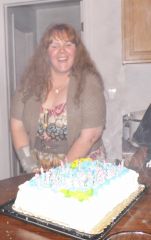
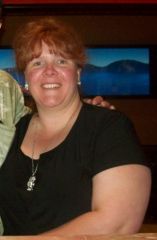
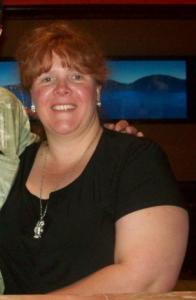
Reaching as high as 230 pounds over the past six years with several photos cropped to make me look and feel thinner, this is the real me without adjusting the photos.