Skip to content
View in the app

A better way to browse. Learn more.

BariatricPal

A full-screen app on your home screen with push notifications, badges and more.

To install this app on iOS and iPadOS
  1. Tap the Share icon in Safari
  2. Scroll the menu and tap Add to Home Screen.
  3. Tap Add in the top-right corner.
To install this app on Android
  1. Tap the 3-dot menu (⋮) in the top-right corner of the browser.
  2. Tap Add to Home screen or Install app.
  3. Confirm by tapping Install.
  • Appearance

Join BariatricPal free

  • Ask your own questions
  • Reply and follow topics
  • Message other members
  • No cost, no spam

croppinginstyle

Gastric Sleeve Patients
  • Joined

  • Last visited

Everything posted by croppinginstyle

  1. I'm a year and a half out and I can't eat the following things: mayo, potatoes, fish, pork, ice cream, sausage, most anything fried, onions, apples, chocolate
  2. They put mine on me in the recovery room.
  3. You don't have to worry about chairs collapsing under your weight and you don't get thigh bruises from chairs with arms...they are actually comfortable!
  4. I love Panera's pick two option! I will get a salad and black bean soup and the leftovers will usually feed me for two more meals.
  5. Hi Everyone! I have surgery (Sleeve) in six days (Nov 11) and am both excited and terribly nervous about it. Eight days of pre-op diet done and have lost 10 pounds.
  6. My surgery is November 11th and I already have insurance approval.
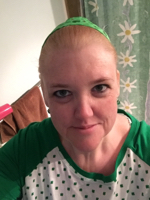
  7. Images added to a gallery album owned by croppinginstyle in Before and After Gastric Sleeve Photos
    croppinginstyle, a weight loss surgery photo album by croppinginstyle on BariatricPal. 2 photos in Before and After Gastric Sleeve Photos.

Account

Navigation

Search

Search

Configure browser push notifications

Chrome (Android)
  1. Tap the lock icon next to the address bar.
  2. Tap Permissions → Notifications.
  3. Adjust your preference.
Chrome (Desktop)
  1. Click the padlock icon in the address bar.
  2. Select Site settings.
  3. Find Notifications and adjust your preference.