




Skip to content
View in the app

A better way to browse. Learn more.

BariatricPal

A full-screen app on your home screen with push notifications, badges and more.

To install this app on iOS and iPadOS
  1. Tap the Share icon in Safari
  2. Scroll the menu and tap Add to Home Screen.
  3. Tap Add in the top-right corner.
To install this app on Android
  1. Tap the 3-dot menu (⋮) in the top-right corner of the browser.
  2. Tap Add to Home screen or Install app.
  3. Confirm by tapping Install.
  • Appearance

Join BariatricPal free

  • Ask your own questions
  • Reply and follow topics
  • Message other members
  • No cost, no spam

jsilvas08

Gastric Sleeve Patients
  • Joined

  • Last visited

Everything posted by jsilvas08

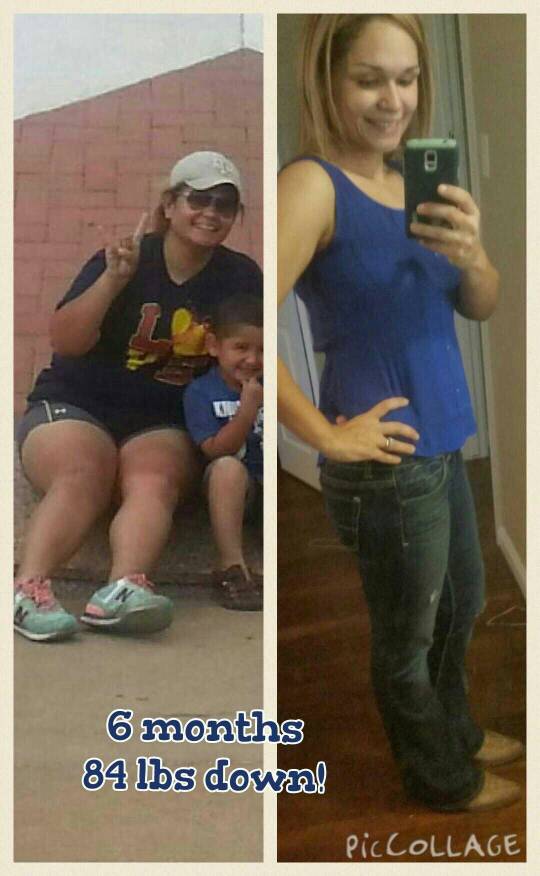
  1. I was sleeved on August 5th 2014 and it has been the greatest decision I have ever made
  2. You r doing great!!!! I'm 16 weeks post op.I used to compare myself to others in the beginning, but we are all different and we will eventually get to our goal. Keep up the great work!
  3. You look absolutely Fabulous!!! Great job!!!!
  4. Glad I found this post I am 4 weeks out and have lost a total of 27 lbs. I have been at a stall for the last week. I just keep trying to tell myself to be patient
  5. From Corpus Christi.... had my surgery on August 5th...feeling a lot better each day
  6. Great job!!! Keep up the awesome work! Soon it will be at normal
Account

Navigation

Search

Search

Configure browser push notifications

Chrome (Android)
  1. Tap the lock icon next to the address bar.
  2. Tap Permissions → Notifications.
  3. Adjust your preference.
Chrome (Desktop)
  1. Click the padlock icon in the address bar.
  2. Select Site settings.
  3. Find Notifications and adjust your preference.