amehammack
Gastric Sleeve Patients
-
Joined
-
Last visited
-
-
-
-
Thanks no I haven't had any skin removal surgeries. I'm 5'9 & 1/2 so luckily I'm pretty tall. I live on a farm so I do lots of physical work plus I work out at home too. Thankfully my skin has retracted well, I guess good elasticity is genetic or something, not sure but I'm just happy to that really my biggest problem areas are my tummy which is easy to hide. I would love to get a tummy tuck one day but with our farm is hard to take that much time to recover because I've heard it's much worse than the weight-loss surgery. Aimee
-
-
-
-
-
I had surgery October 20,2014 My HW was 272 SW 235 CW 171 GW 160 11 pounds from goal in just 4 months!
-
I was wondering if anyone has tried or researched if Thrive products by Le-Vel are safe to take after gastric sleeve surgery? Someone told me they contain large amounts of anti inflammatory, but they are suppose to be a good vitamin and nutritional benefit, I'm unsure bc it seems it's mostly mixed feelings about the product when I've searched online....please help:)
-
-
-
-
-
Thanks, yes the hair is way different. It's hard for me to believe the after picture is me! I have had about 10 people pm in the last 24 hours wanting to know about the procedure. I want to be open and honest and let them know that it's been what was best for me but everyone is different. If someone is not serious about a life style change they should not do it bc it drastically changes your life!
-
I know someone who used their surgery results to sell beach body products and I find it very disturbing! So there was no way I could mislead anyone!
-
The picture that sparked the surgery reveal!

-
I think the only negative I have had is from my 80 year old grandma! Lol...everyone else is thrilled for me and tons of people have asked lots of questions! I do want people to understand surgery is not an easy quick fix! It's hard! But the results are worth it!
-
I'm definitely not ashamed and have been open and honest will friends and family but wasn't sure how to go about it after the weight started drastically coming off but now that I have revealed it publicly I have gotten lots of compliments and encouragement! It's been tough but definitely thankful I had the surgery done!
-
Thanks:)
-
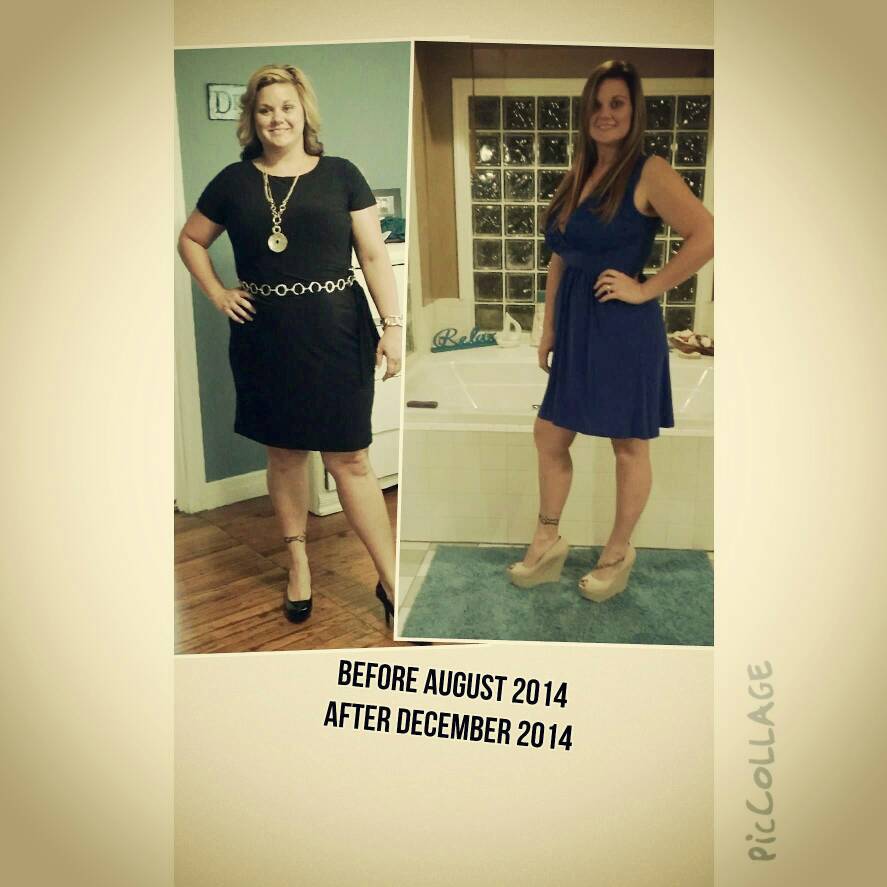
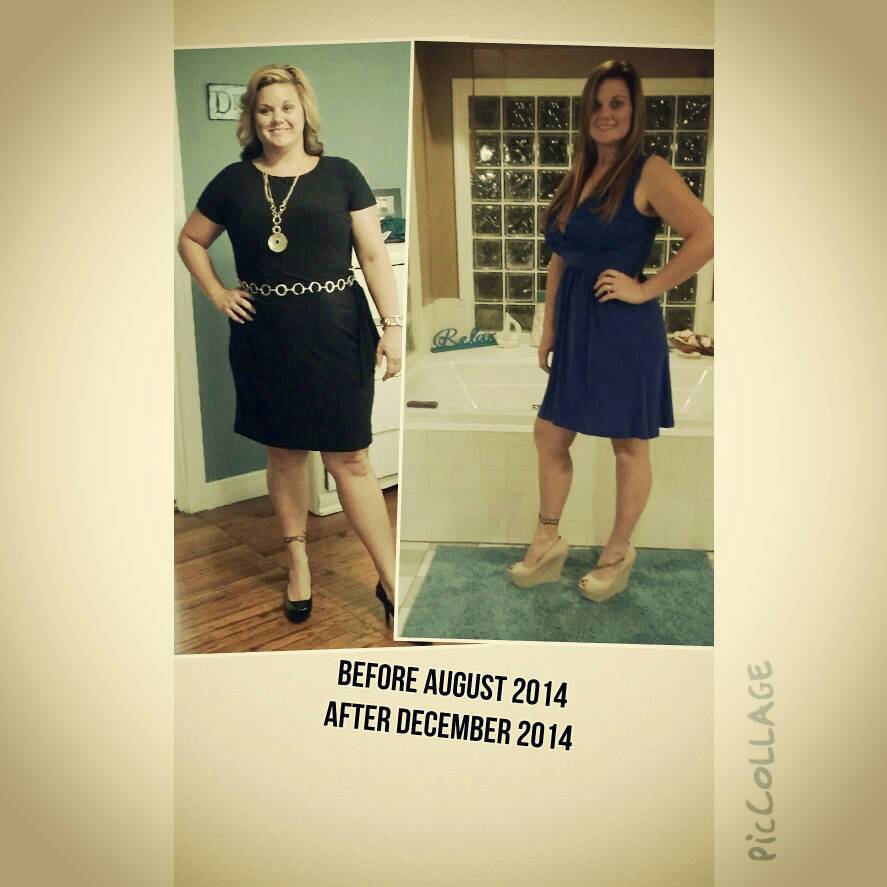
I don't know about anyone else but I finally had to make it public knowledge on Facebook that I had surgery bc I was getting tons of messages after I posted a pic in a cute dress after losing 70 pounds! People were full of comments but wanted me to share what had worked for me! I originally didn't want everyone to know I had surgery but I did not want to be dishonest either! Has anyone else had to do this or how did you finally tell everyone?
-
I put on my spanx at 3 weeks and I felt nauseous the whole time and relieved when I took it off! Haven't tried since then. I'm 7 weeks post op now.
-
Before and after

-
Before and after pics Before picture was taken the end of July 2014 and after picture taken December 2014 Surgery date was October 20, 2014 Lost 62 pounds so far!
-
Tried it in yogurt this morning! Was able to get half a tablet down! Will try the other half later. Those tablets are huge and the serving is 2 a day! I think I'm going to work on getting 1 a day in for now:) thanks!
-
The only pain I experienced was with the drain after surgery, after it was taken out I felt much better! I'd check with your doctor about the pain bc it could be something that needs attention. Hoping all is well soon!