




Skip to content
View in the app

A better way to browse. Learn more.

BariatricPal

A full-screen app on your home screen with push notifications, badges and more.

To install this app on iOS and iPadOS
  1. Tap the Share icon in Safari
  2. Scroll the menu and tap Add to Home Screen.
  3. Tap Add in the top-right corner.
To install this app on Android
  1. Tap the 3-dot menu (⋮) in the top-right corner of the browser.
  2. Tap Add to Home screen or Install app.
  3. Confirm by tapping Install.
  • Appearance

Join BariatricPal free

  • Ask your own questions
  • Reply and follow topics
  • Message other members
  • No cost, no spam

crown2

LAP-BAND Patients
  • Joined

  • Last visited

Everything posted by crown2

  1. I looked thru my pre op and post op and it doesn't give an exact amount of the % I should be eating. I did see 50 grams of protein. But being a newbie I wanted to do it right. I guess I may have to call my dr in the morning to get more info. Thank you.
  2. I've had the lapband and on my 4th week. On My Fitness Pal, I have 50% protein and 25% for carbs and fat. Is this right?
  3. Hey. I had my WLS on April 11,2014.My Presurgery weight was 287. I did sugar busters for 1 week. My weight, day of surgery, was 284. It's exactly 4 weeks later, and I've lost 22lbs. I'm not sure if thats good or not. I'm in mushie/soft food stage. I've REALLY been craving sweet stuff, which I haven't given in to, but I'm dreaming about it. Lol. I've read great info from other threads on here. I thought this would be great source of encouragement and ideas. Looking forward to the WLS outcome.
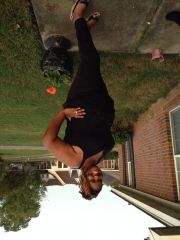
  4. Images added to a gallery album owned by crown2 in Before and After Lap Band Photos
    crown2, a weight loss surgery photo album by crown2 on BariatricPal. 2 photos in Before and After Lap Band Photos.

Account

Navigation

Search

Search

Configure browser push notifications

Chrome (Android)
  1. Tap the lock icon next to the address bar.
  2. Tap Permissions → Notifications.
  3. Adjust your preference.
Chrome (Desktop)
  1. Click the padlock icon in the address bar.
  2. Select Site settings.
  3. Find Notifications and adjust your preference.