Skip to content
View in the app

A better way to browse. Learn more.

BariatricPal

A full-screen app on your home screen with push notifications, badges and more.

To install this app on iOS and iPadOS
  1. Tap the Share icon in Safari
  2. Scroll the menu and tap Add to Home Screen.
  3. Tap Add in the top-right corner.
To install this app on Android
  1. Tap the 3-dot menu (⋮) in the top-right corner of the browser.
  2. Tap Add to Home screen or Install app.
  3. Confirm by tapping Install.
  • Appearance

Join BariatricPal free

  • Ask your own questions
  • Reply and follow topics
  • Message other members
  • No cost, no spam

QueenBeeBee

Gastric Sleeve Patients
  • Joined

  • Last visited

Everything posted by QueenBeeBee

  1. I posted some recipes on another thread called Pre op diet... If u can't find them there let me know and I'll post them here too ???? good luck
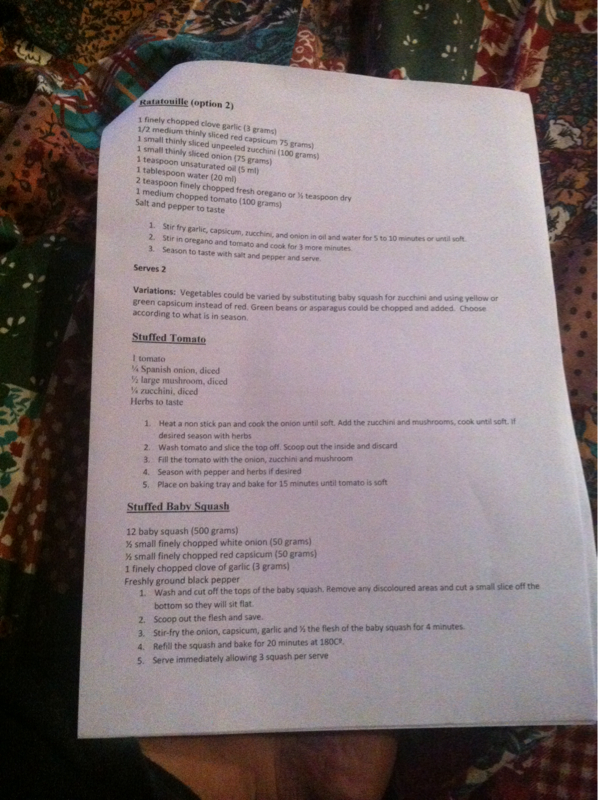
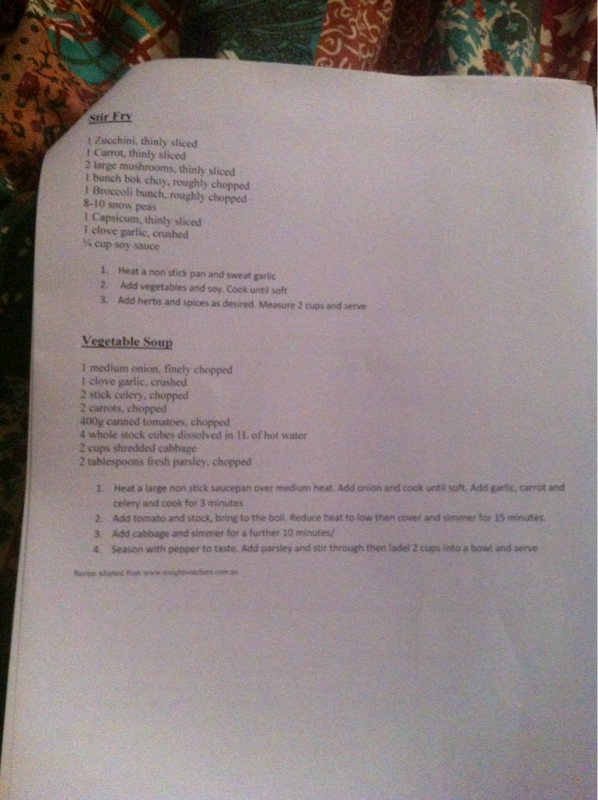
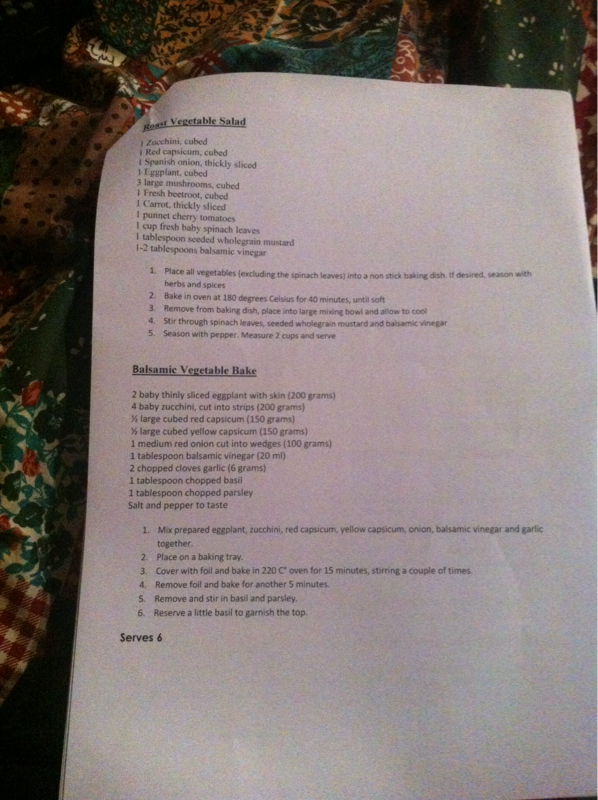
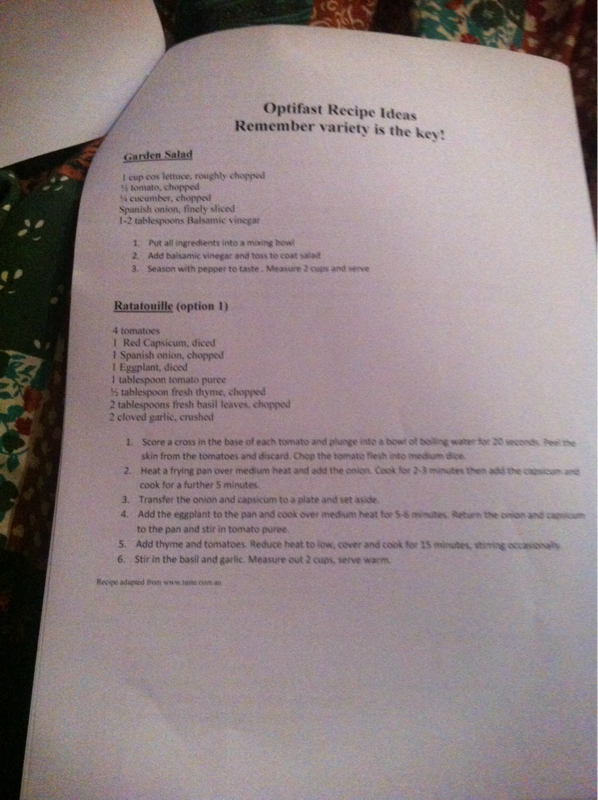
  2. My NUT Gave me this a few recipes on the vegies if this helps I think u could put some lean meat or chicken into them too if u wanted to
  3. Hey everyone! Just stumbled upon this app and loving it! I'm scheduled for the 1st of May and my biggest fear is waking up and choking on the breathing tube oh and not being in control while I'm under u know... Just wondering has this happened to anyone? How did u guys all go with ur surgery? Oh and I'm in Australia would love to know if anyone is going through lap surgery Australia?
  4. Ur going to be amazing good luck with your surgery think happy thoughts sending u lots of love from down under xo
  5. Good luck!!!! Wishing you a speedy recovery
Account

Navigation

Search

Search

Configure browser push notifications

Chrome (Android)
  1. Tap the lock icon next to the address bar.
  2. Tap Permissions → Notifications.
  3. Adjust your preference.
Chrome (Desktop)
  1. Click the padlock icon in the address bar.
  2. Select Site settings.
  3. Find Notifications and adjust your preference.