teemarie1078
Gastric Sleeve Patients
-
Joined
-
Last visited
-
-
-
-
-
-
-
-
-
-
-
-
-
You look GREAT! What did you do to make such amazing progress?Thank you I just really stuck to the plan .. Minimal carbs, Protein shakes , Lean meats .. And EXERCISE!!! 5 days a week of Zumba , running , weight training. I also trained for a spartan race and I'm training for another one which keeps me motivated!! I'm down to 148, but would love to see another 10 come off! Good luck
-
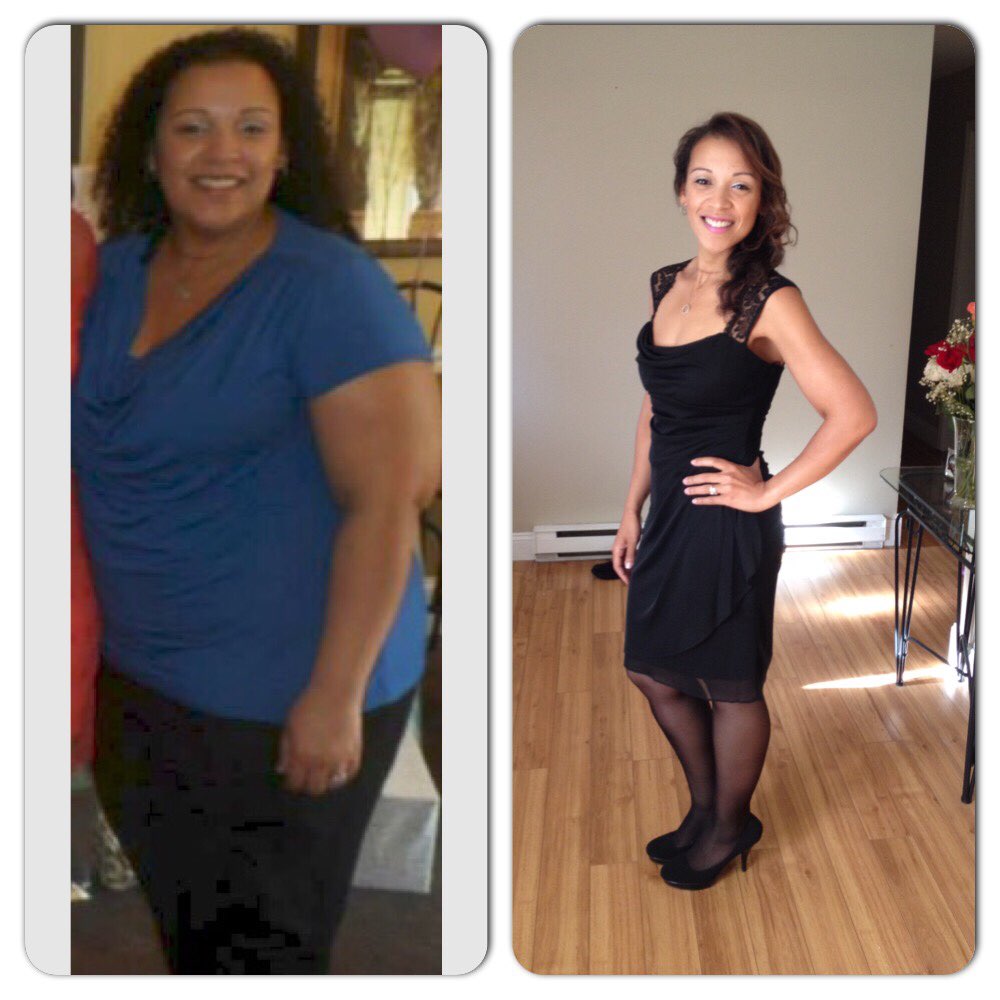
My before and after . 13 months out

-
Sleevers over 300.. You can achieve greatness:) I started my journey may 20 2014 at 310 lbs .. 13 months later I have lost 165 lbs.. Hovering at 145! Good luck ????
-
151 today!
-
I'm almost 1 year out, used to live on diet doctor pepper, haven't wanted or had even 1 sip of carbonation .. Not worth it
-
Still 156.. Nursing school finals have me stress snacking Thanks
-
Darn! That's like almost my whole carb allowance for the entire day lol!
-
What's the net carb on that?
-
Do you have a starting weight for last week? yes it was 158. thanks
-
156 today
-
I'm in ! SW 158 GOAL 146
-
I can't believe it's almost a year as well. Those first few weeks were difficult, and it continues to be a bit of a struggle for me, but I feel great, I can do so much more now! No regrets! Boy has the time flown by
-
158! Made goal, logging early because I won't be around tomorrow ! Thanks Susan
-
159 this week! 1lb from goal! Thanks Susan
-
I was 310 when I started my journey 296 day of surgery on 5/20/14 Down almost 150 lbs currently 161 Love this sleeve