cher40rie
Gastric Sleeve Patients
-
Joined
-
Last visited
Everything posted by cher40rie
-
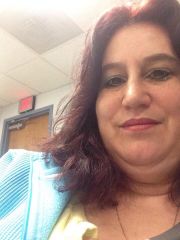
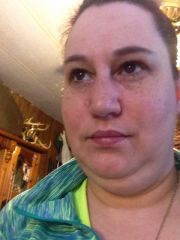
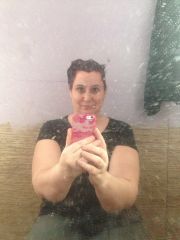
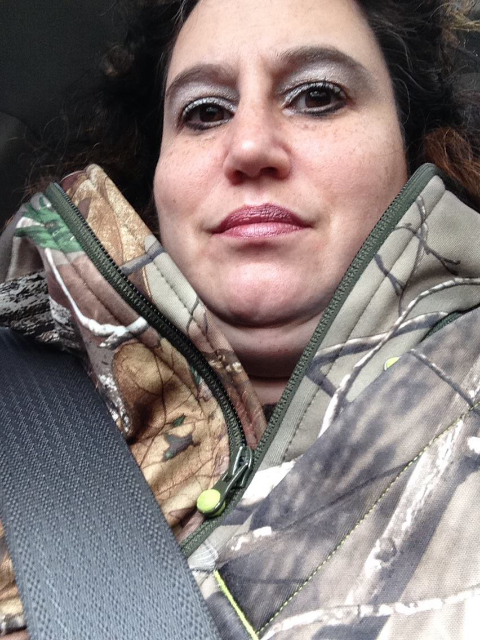
cher40rie, a weight loss surgery photo album by cher40rie on BariatricPal. 14 photos in Before and After Gastric Sleeve Photos.
-
Thank you I'm trying hopefully to have a surgery date in June or July
-
Thank you I'm trying hopefully to have a surgery date in June or July
-
Thank you I'm trying hopefully have a surgery date in June or July
-
That is sweet Doreen D ♡
-
That is totally true just keep working and you will get to your goal! Good luck
-
Good luck on ur sleeve! Be sure to keep us posted! :-)

-
Looking great Keep up the good work
-
I totally agree with you! If it wasn't for u r surgeon they would never have the sleeve! I can't wait to be able to thank my surgeon
-
You look absolutely amazing keep up the great work!
-
U look amazing Keep up the good work
-
Looking good keep up the good work!
-
Yes I hope that we can be done on the same day that would be awesome to be able to be in the hospital with somebody that I already know and is doing the same procedure as me because then I won't be stuck in a room with someone be integrating insane all you must of felt really desperate to do that or you're not too fat to have that procedure some people just doesn't don't understand the troubles that we go through I'm not a big girl but all of my health problems have made me want to do this let me rephrase that: not want that I need to do this! I'm very sorry for rambling too!
-
I went to Oswego High in Oswego I have told a 2 great friends who can't wait for me to do this cuz they hate seeing me in pain... My family knows my husband drives me to my appointments n goes in with me. Sometimes he is supportive. Sometimes not. I lost 4 pounds n he told me see you can do this u don't need surgery. But the problem is that I can do this on my own I just can't keep the weight off and that's the problem.. I love my husband and he's very particular and his ways because this will be my tent surgery and he doesn't want to see me go through another surgery especially one that is elective and not necessary but I would hate to wait until it is necessary. I hope that you understand my rambling. And like I said before I sent you a private message in there is my number we can text from now on if you want if not that's OK too. I hope that we can become friends outside of this network that would be awesome because to have somebody who is going through the same things that I am would help me and you tremendously! Hopefully we chat soon cuz its so hard to keep up with this program on my phone it doesn't tell me when I get I message it just says when somebody is written on the wall so its hard and I don't keep up with its very bad of me but I have a store that Iron well my husband owns the store and iron it with him if you have Facebook you can look it up its La Mexicana in Fulton NY
-
I sent you a private message. ... Yes I'm a peeping Tom (just kidding) end of Feb was my 1st appointment I met with Dr. Simon and Kristy the nut... I was to go again a couple days ago but because my insurance was being crazy I had to renew n so my insurance started back up May 1st n that is my second appointment with Kristy n Nurse Maria... have my Endoscopy coming up May 28 n waiting till May 1st to set up my psych val. Yeah I'm lazy n i forget to go to the meetings, I'm a bad bad girl. I don't have all my homework done but I am working very hard to complete it.
-
Wow you look absolutely amazing! Keep up the good work!
-
After numerous surgeries I have had this happen to but it always returns to me. ... 1 St time it happened i was scared but my hubby is very patient as well n he waited n didn't push me. .. I hope it returns to you lickety split. .. Good luck
-
I have had my gall bladder taken out already pre WLS surgery nu are describing the pains I had but my pain was bend over pain cuz I was passing stones god worse pain ever but it is done n over with so I'm good now don't wait go see your dr today. ..
-
Congrats praying for you!
-
"The straw that broke the camels back" HMM that's a hard one. I guess I would say it's a bunch of little straws... I was always a tiny person people always told me your too skinny gain weight I was 114. Now at 218 people say you are perfect you don't need weight lost surgery. .. Yeah I know I'm not big girl but I have. .. sleep apnea, Cronic Back pain, pain in my knees n hips, degenerative discs n 2 Bulging discs, I have swelling in the lower part of my legs, rhumitoid arthritis, borderline diabetes, n GERD I have 3 beautiful children. My kids are 25 David 21 Margarita aka Mago 18 Gerardo aka Dude I love them with all my heart. .. I guess not being able to go four wheeling with my kids cuz it hurts my back. Or Not being able to run with my daughter as she trains top b a police officer Or Go muddin with my boss cuz I can't get my butt up into tower lifted trucks. I could go on and on but my biggest straw is. .. I have been married to the best man ever for the last 22 years n him telling me baby if you gain so much weight that you can't fit going down the hallway to our room I will put our bed in the living room just to sleep next to you! It killed me. .. so dieting became my life, I was always on 1 diet or another. . For our 20th anniversary I bought a sect outfit XXL n my fat was still hanging out n I did not feel sexy at all. I planned to get the surgery had signed up n never went to the seminar cuz my husband is scared of me having another surgery this will be #10.... But two years later n my health going down hill I decided I don't care cuz I wanna b here with him for another 20, 40, 60 years. .. So my health was the STRAW!
-
I totally agree with you on this subject! I'm not a big girl per say my heaviest weight was 218 but I'm only 5'2" n i have.. sleep apnea, Cronic Back pain, pain in my knees n hips, degenerative discs n 2 Bulging discs, I have swelling in the lower part of my legs, rhumitoid arthritis, borderline diabetes, n GERD So getting this surgery done n helping me live without pain n pills will be awesome.
-
I want the sleeve I knew from the Day of the seminar that I wanted the sleeve. .. I have sleep apnea, Cronic Back pain, pain in my knees n hips, degenerative discs n 2 Bulging discs, I have swelling in the lower part of my legs, rhumitoid arthritis, borderline diabetes, n GERD I'm not a big girl but because of all of my other problems I just want to b pain n pill free Hopefully soon I get the call from Fidelis with Medicaid that I'm accepted. I hope that i don't have to wait 6 months. [ATTACH]43851[/ATTACH]

-
Zelda that is my surgeon too! What insurance coverage do u have?
-
I have met a few places on here n every one is so nice! Congrats on your surgery date! Praying for you! What insurance coverage do u have?
-
I'm going to upstate community general my surgeon is Dr. H. Simon n I'm still pre op I go May 1st for my 2nd visit with the Dr. N on May 28 my Endoscopy. Who r u seeing Zelda?