Skip to content
View in the app

A better way to browse. Learn more.

BariatricPal

A full-screen app on your home screen with push notifications, badges and more.

To install this app on iOS and iPadOS
  1. Tap the Share icon in Safari
  2. Scroll the menu and tap Add to Home Screen.
  3. Tap Add in the top-right corner.
To install this app on Android
  1. Tap the 3-dot menu (⋮) in the top-right corner of the browser.
  2. Tap Add to Home screen or Install app.
  3. Confirm by tapping Install.
  • Appearance

Join BariatricPal free

  • Ask your own questions
  • Reply and follow topics
  • Message other members
  • No cost, no spam

Klein1175

Gastric Sleeve Patients
  • Joined

  • Last visited

Everything posted by Klein1175

  1. You can't. Compare yourself to others. When going through this everyone goes on their own journey. And you can't feel lonely because you have a lot of people around you that love you. And if you lost 20lb already that's wonderful. You should be proud of that and plan to do more next month because you're moving around more now. Remember it's one step at a time don't stress yourself. You are a fighter a strong one at that so don't give up
  2. Love you to living55 and you're more than welcome. I know if I needed the help you would have done that and more. Just keep up the excellent work..????????????
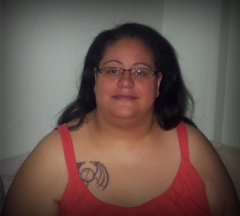
  3. Images added to a gallery album owned by Klein1175 in Before and After Gastric Sleeve Photos
    Klein1175, a weight loss surgery photo album by Klein1175 on BariatricPal. 5 photos in Before and After Gastric Sleeve Photos.
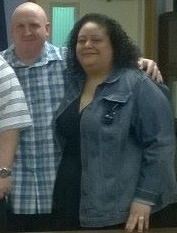
  4. Images added to a gallery album owned by Klein1175 in Member Photo Gallery
    After Surgery, a weight loss surgery photo album by Klein1175 on BariatricPal. 4 photos in Member Photo Gallery.
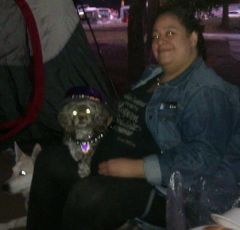
  5. Images added to a gallery album owned by Klein1175 in Member Photo Gallery
    Before My Surgery.., a weight loss surgery photo album by Klein1175 on BariatricPal. 7 photos in Member Photo Gallery.


Account

Navigation

Search

Search

Configure browser push notifications

Chrome (Android)
  1. Tap the lock icon next to the address bar.
  2. Tap Permissions → Notifications.
  3. Adjust your preference.
Chrome (Desktop)
  1. Click the padlock icon in the address bar.
  2. Select Site settings.
  3. Find Notifications and adjust your preference.