Skip to content
View in the app

A better way to browse. Learn more.

BariatricPal

A full-screen app on your home screen with push notifications, badges and more.

To install this app on iOS and iPadOS
  1. Tap the Share icon in Safari
  2. Scroll the menu and tap Add to Home Screen.
  3. Tap Add in the top-right corner.
To install this app on Android
  1. Tap the 3-dot menu (⋮) in the top-right corner of the browser.
  2. Tap Add to Home screen or Install app.
  3. Confirm by tapping Install.
  • Appearance

Join BariatricPal free

  • Ask your own questions
  • Reply and follow topics
  • Message other members
  • No cost, no spam

april8thsleeve

Gastric Sleeve Patients
  • Joined

  • Last visited

  1.    gamergirl reacted to a post in a topic: Check me out
  2.    jdmama911 reacted to a post in a topic: Check me out
  3.    AprilS reacted to a post in a topic: Check me out
  4.    AprilS reacted to a post in a topic: Check me out
  5.    Tangy reacted to a post in a topic: Check me out
  6.    loseitsoon reacted to a post in a topic: Check me out
  7.    Saki reacted to a post in a topic: Check me out
  8.    Saki reacted to a post in a topic: Check me out
  9.    Kimmy1813 reacted to a post in a topic: Check me out
  10.    jamill527 reacted to a post in a topic: Check me out
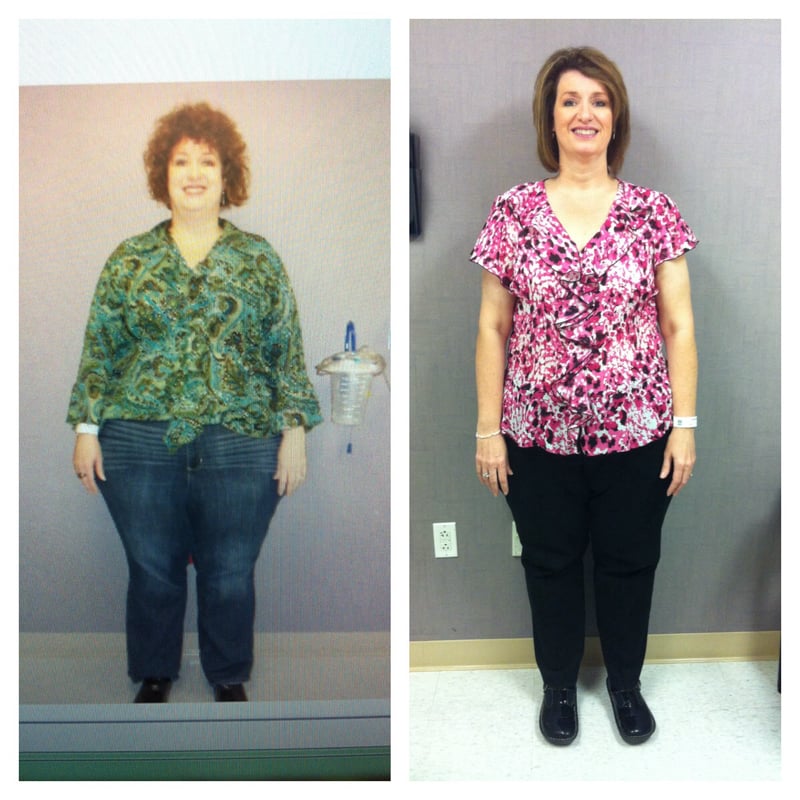
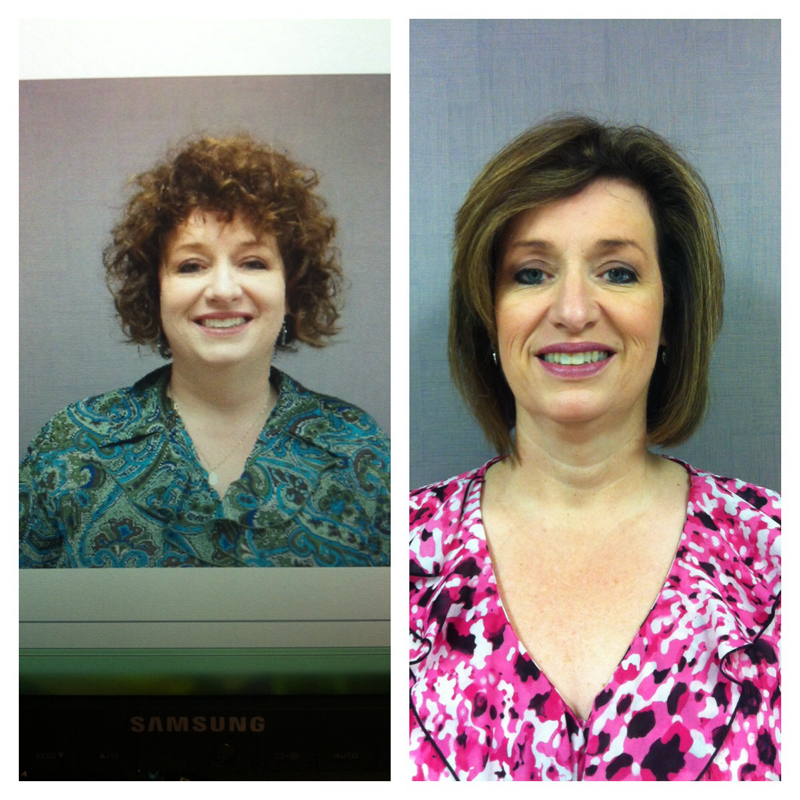
  11. SW 358 CW 264 Sleeved on April 8, 2013 I just want to say thank you to all the people on this forum. This is my first post but I have been reading before I ever had surgery & you all have helped me so much.. I love my sleeve. I had never been able to lose weight & keep it off. I tried every diet until I made this decision. I've had very supportive friends, family & these discussions help me on this path. I feel so good about the weight loss now but it wasn't easy in the beginning..I had a lot of nausea. I initially regretted my decision but every day got better & now being able to exercise & fit in smaller clothes. I love my decision & only regret not doing it sooner. Thanks again for all the positive reinforcement along the way with your open & honest posts.

Account

Navigation

Search

Search

Configure browser push notifications

Chrome (Android)
  1. Tap the lock icon next to the address bar.
  2. Tap Permissions → Notifications.
  3. Adjust your preference.
Chrome (Desktop)
  1. Click the padlock icon in the address bar.
  2. Select Site settings.
  3. Find Notifications and adjust your preference.