beme2013
Gastric Sleeve Patients
-
Joined
-
Last visited
-
-
-
-
-
-
-
-
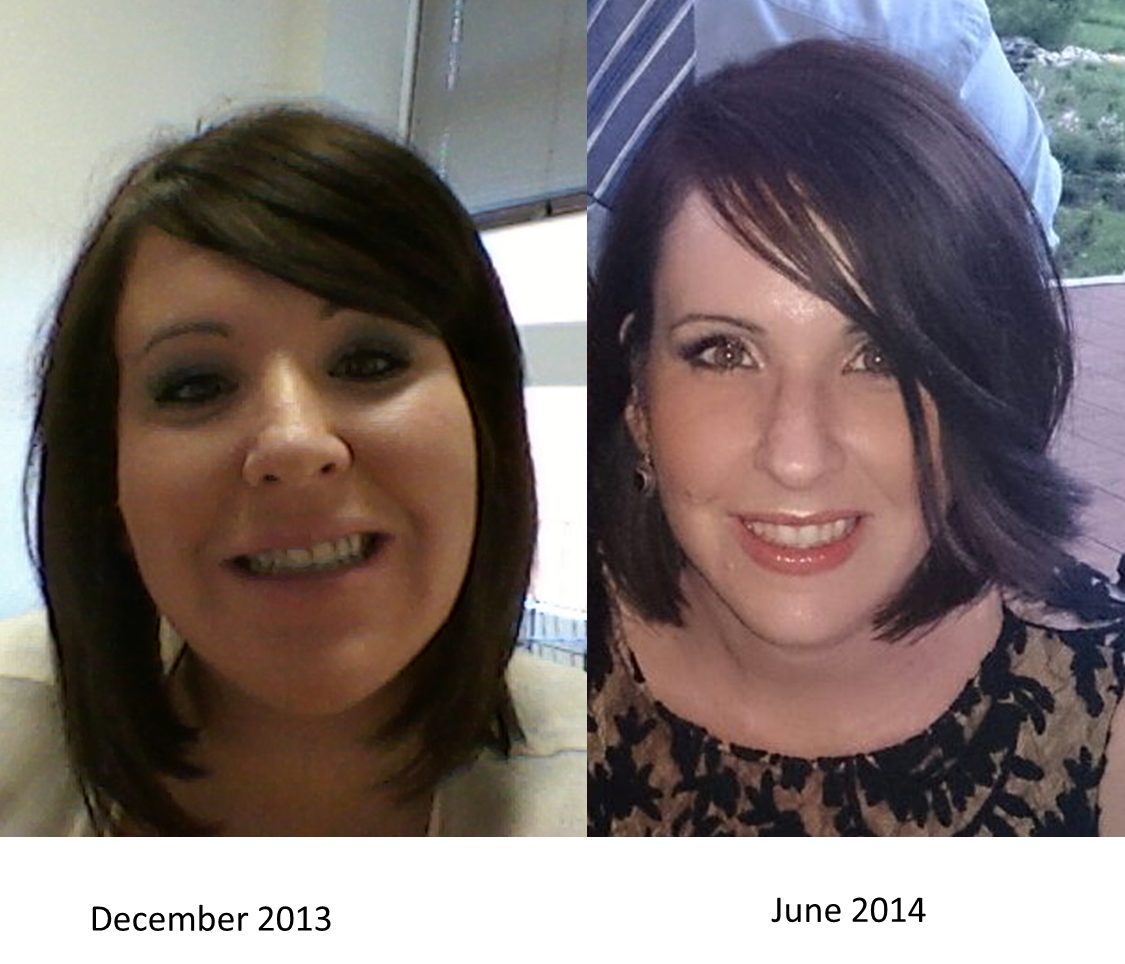
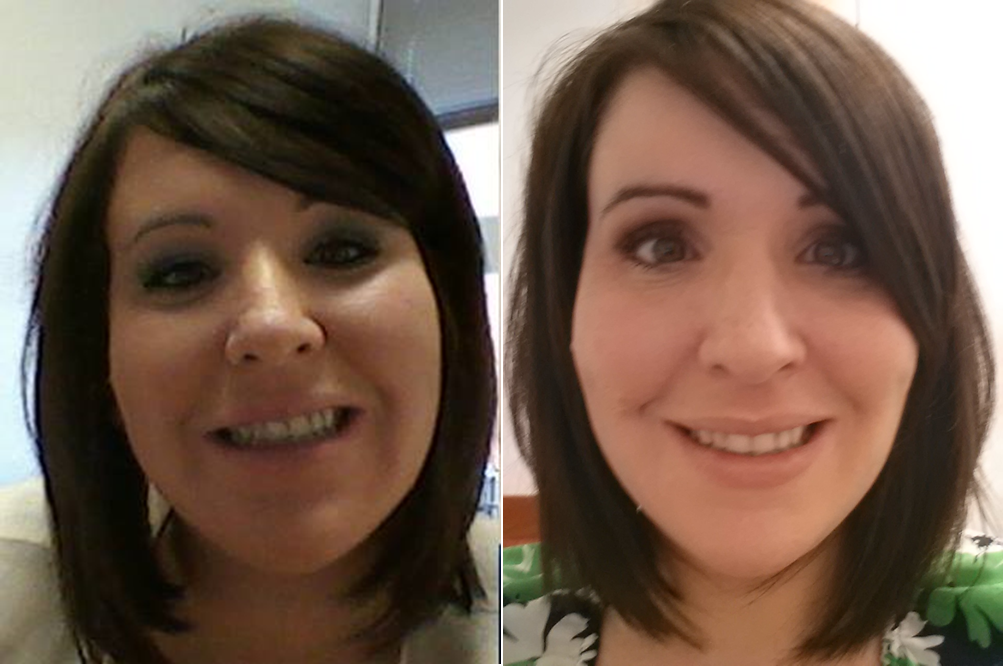
face shots. You can't tell the difference when you're going through it. Shocking when you do a comparison.

-
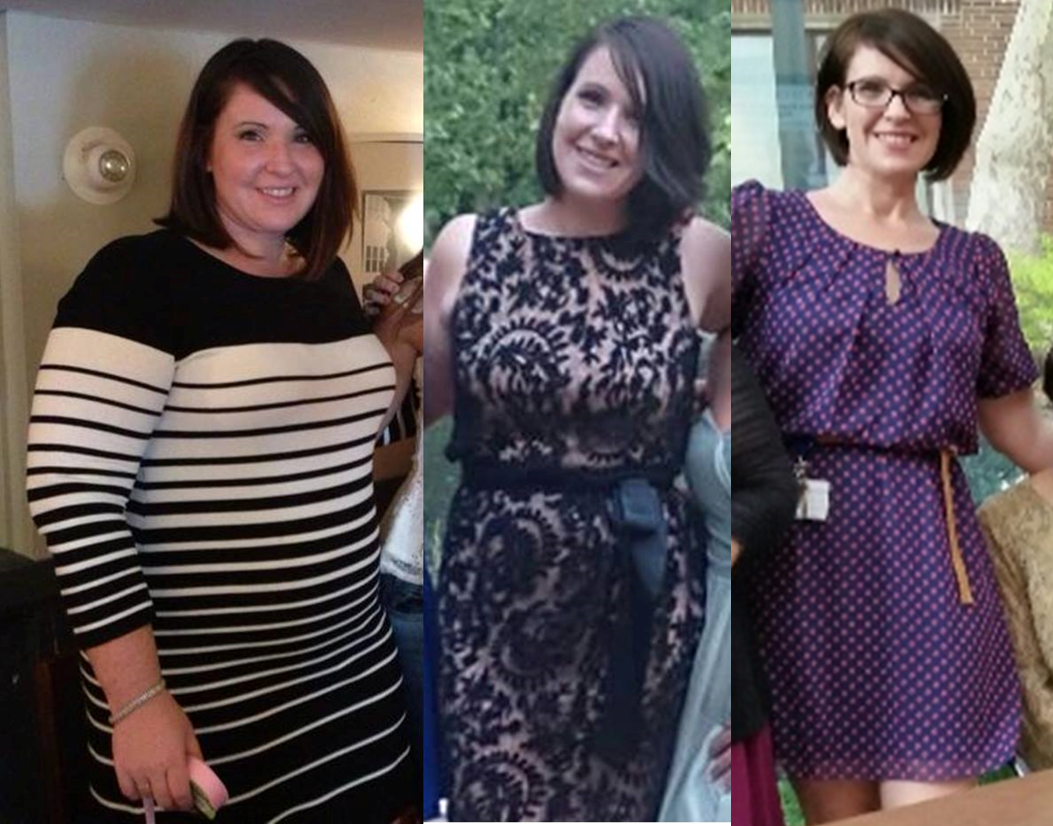
I don't have too many full body shots, but wanted to share my progress.

-
-
-
beme2013, a weight loss surgery photo album by beme2013 on BariatricPal. 4 photos in Before and After Gastric Sleeve Photos.
-
Hello, I was sleeved February 3rd and I'm down 90 lbs exactly. I'm 5'9" , started at 252 and am currently 162. I'd like to get down to 150 but I've slowed down alot. I just had blood work down and all my levels are great. I've struggled with some hair loss and have a loos skin issue on my lower stomach. I had that to begin with from my kids and knew it would be a problem area. My stomach is very flat but the skin is loose. I'm going to wait until after the holidays and maybe get a consultation to see what can be done. I wear a 6-8 s-m which is still crazy!! I love the me I am now. I can be the person outwardly that I always held back because of my weight and thinking , they'll call me fat, or I'm too fat to do this our that. I'm healthy. I don't exercise as much as i'd like but i do walk a ridiculous amount
-
-
how do you add pics? I don't see an option to attach.
-
-
-
Before pic is from December 2013, after is from June 2014. I hope to post a full body shot soon but it's hard to find any before. I use to hide from the camera. Thanks, Beth

-
Beautiful! You radiate!
-
I'm down 68 lbs since surgery on February 4th, but I'm now starting to loose my hair. Any tips or advice would be appreciated.
-
calories in - calories burned. Even when you're eating and making healthy food choices you're not eating as many calories as need to maintain so you will loose weight.
-
Thanks guys. It was definitely a WTF moment. She's heavy too and we've done a lot of programs together in the past like WW, gym, and even going to a diet Dr. for pills,etc. This is a journey I took solo and I think like what some of you said that it's more about her than me. I'm choosing to view it this way and will see how things go. I'll see her this Friday just the two of us, so hopefully I'll get a better sense of her attitude. Either way I'm moving forward, getting healthy, and feeling good.
-
On Sunday I had a communion party for my son. It's the first time I've seen a lot of family and friends since post op - 60 pounds ago. I tried to talk to my best friend about having surgery a few months ago but she was very vocal about how terrible she thinks it is, etc. I made a decision not to tell her and Sunday was the first time I saw her. She was excited to see me , we hugged and she said I look great , what am I doing. So I told her that I had sleeve surgery in February. Her attitude changed immediately. She told me how disappointed she is with me that I chose this route instead of putting in hard work and that I'm cheating. I smiled and told her this was a decision for me and the best thing I've ever done for myself. I told her that I'm happy and hope she can be happy for me. I assured her that this is in no way cheating and it's hard. How do you handle criticism from family and friends about your choice?
-
tuna and eggs is delish. hard boil an egg. mix no or low fat may with the yoke and dice up the white add celery and some onion if you can handle it and mix together. you can substitute may for greek yogurt . it's really good and packed with Protein
-
Thank You and you are so right!
-
-
-
My mom has said a few times that since I had surgery , my eyes look weird. Like I have a worried or vacant look to them. I see a difference but only becasue my face looks different. I think I may be dehydrated, but otherwise I really feel good. Anyone see it? Could it be something? I was thinging maybe dehydration or something.

-
Sleeved on 2/4. Peried like clock work. 3 weeks late but just got it today. Is there a coorilation between rapid weight lose and irregular periods?