Skip to content
View in the app

A better way to browse. Learn more.

BariatricPal

A full-screen app on your home screen with push notifications, badges and more.

To install this app on iOS and iPadOS
  1. Tap the Share icon in Safari
  2. Scroll the menu and tap Add to Home Screen.
  3. Tap Add in the top-right corner.
To install this app on Android
  1. Tap the 3-dot menu (⋮) in the top-right corner of the browser.
  2. Tap Add to Home screen or Install app.
  3. Confirm by tapping Install.
  • Appearance

Join BariatricPal free

  • Ask your own questions
  • Reply and follow topics
  • Message other members
  • No cost, no spam

tim0826

Gastric Bypass Patients
  • Joined

  • Last visited

Everything posted by tim0826

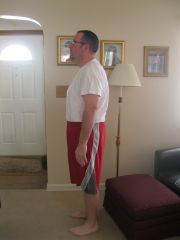
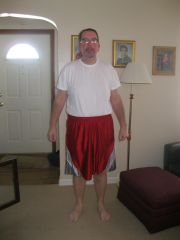
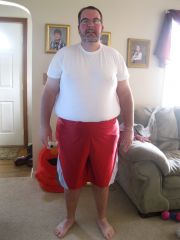
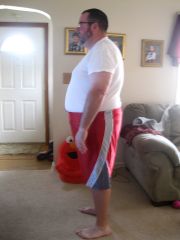
  1. Images added to a gallery album owned by tim0826 in Before and After Gastric Bypass Photos
    tim0826, a weight loss surgery photo album by tim0826 on BariatricPal. 4 photos in Before and After Gastric Bypass Photos.
  2. Drinking liquids and walking...I came home yesterday at 3 pm...aside from gas i seem to be doing ok...I do think it'll be a long year for my Steelers!
  3. Surgery at 8 am this morning...laying in bed recovering...pain tolerable...now going to watch Steelers game!
  4. called surgeon...up fluid intake and let them know if symptoms change...I think I'll be OK! Thanks Gemini!
  5. I am scheduled for Monday 9-16-13 @ 8 am and currently have a mild sore throat and a slight fever of 99.0...what should I do? I have 3 days for it to subside and really don't want to postpone...life is arranged w/ work family ect...HELP!
  6. I need a man's perspective on the whole process...I am having mine on the 16th...send me a message filling me in. Congrats on having it done!
  7. September 16th as well...getting very nervous...appointment w/ surgeon tomorrow and then pre-op testing on the 10th...good luck to you!

Account

Navigation

Search

Search

Configure browser push notifications

Chrome (Android)
  1. Tap the lock icon next to the address bar.
  2. Tap Permissions → Notifications.
  3. Adjust your preference.
Chrome (Desktop)
  1. Click the padlock icon in the address bar.
  2. Select Site settings.
  3. Find Notifications and adjust your preference.