Skip to content
View in the app

A better way to browse. Learn more.

BariatricPal

A full-screen app on your home screen with push notifications, badges and more.

To install this app on iOS and iPadOS
  1. Tap the Share icon in Safari
  2. Scroll the menu and tap Add to Home Screen.
  3. Tap Add in the top-right corner.
To install this app on Android
  1. Tap the 3-dot menu (⋮) in the top-right corner of the browser.
  2. Tap Add to Home screen or Install app.
  3. Confirm by tapping Install.
  • Appearance

Join BariatricPal free

  • Ask your own questions
  • Reply and follow topics
  • Message other members
  • No cost, no spam

jasmith31

Gastric Bypass Patients
  • Joined

  • Last visited

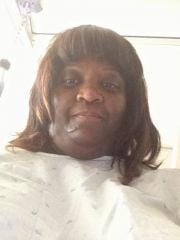
  1. jasmith31 changed their profile photo
  2. Images added to a gallery album owned by jasmith31 in Before and After Gastric Bypass Photos
    jasmith31, a weight loss surgery photo album by jasmith31 on BariatricPal. 2 photos in Before and After Gastric Bypass Photos.
  3.    cfranklin526 reacted to a post in a topic: Kaiser?
  4. I had my procedure done in West LA.
  5.    Cami1908 reacted to a post in a topic: Hi all!
  6.    cfranklin526 reacted to a post in a topic: Kaiser?
  7. I'm with Kaiser SoCal...I asked my PCP for a referral in Oct 2012...went through the 12 week Options classes, preop tests...Just had the surgery June 7,2013... So far, so good! Good luck to all!
  8. If you're a member of Kaiser Permanente in So Cal, they have a great Bariatric Dept in West LA. They cover the surgery, also! Dr. Jorge Zelada was my surgeon; he was FANTASTIC!
  9. I just had surgery on June 7th...
  10. New to this group...just had my surgery on June 7th...it went very well. I'm from Los Angeles, and had my surgery through Kaiser Permanente...I'm a little sore, but for the most part, doing well. Thank goodness for sugar free Popsicles! I'm glad I'm not going through this alone. Looking forward to sharing everyone's goals and experiences! SW: 307. Weight at surgery: 292. Goal: 175


Account

Navigation

Search

Search

Configure browser push notifications

Chrome (Android)
  1. Tap the lock icon next to the address bar.
  2. Tap Permissions → Notifications.
  3. Adjust your preference.
Chrome (Desktop)
  1. Click the padlock icon in the address bar.
  2. Select Site settings.
  3. Find Notifications and adjust your preference.