





Krystal7k
Gastric Bypass Patients
-
Joined
-
Last visited
Everything posted by Krystal7k
-
My nsv of the week I finally got on a size 8 jeans never been that small
-
Thats beautiful
-
Thats what I had yummy
-
Congrats
-
Congrats
-
I never would think of a sports bra
-
My bra was worthless it was so baggie It didnt do anything for my girls
-
I finally went to buy a bra I went from a 40dd to a 34c my boobs runaway!
-
U look great
-
Happy belated birthday dorian
-
Awweee cuteThank youIm 5" 2Im 145lb so he wants me to lose 30moreMy nsv I can wear my kids clothes [ATTACH]4773[/ATTACH] [ATTACH]4772[/ATTACH] [ATTACH]4772[/ATTACH]

 Thank you doriI havent went shopping yet but I need to I had a dr appt yesterday he said everything is good he wants me between 115 and 120 but I thank that might be to smallI feel really good toI feel really good I exercise alot[ATTACH]4771[/ATTACH] Another outfit
 [ATTACH]4768[/ATTACH] Rny 4/17/13
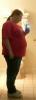
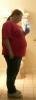 U look great absolutely fabulous







Account
Navigation
Search
Configure browser push notifications
Chrome (Android)
- Tap the lock icon next to the address bar.
- Tap Permissions → Notifications.
- Adjust your preference.
Chrome (Desktop)
- Click the padlock icon in the address bar.
- Select Site settings.
- Find Notifications and adjust your preference.
Safari (iOS 16.4+)
- Ensure the site is installed via Add to Home Screen.
- Open Settings App → Notifications.
- Find your app name and adjust your preference.
Safari (macOS)
- Go to Safari → Preferences.
- Click the Websites tab.
- Select Notifications in the sidebar.
- Find this website and adjust your preference.
Edge (Android)
- Tap the lock icon next to the address bar.
- Tap Permissions.
- Find Notifications and adjust your preference.
Edge (Desktop)
- Click the padlock icon in the address bar.
- Click Permissions for this site.
- Find Notifications and adjust your preference.
Firefox (Android)
- Go to Settings → Site permissions.
- Tap Notifications.
- Find this site in the list and adjust your preference.
Firefox (Desktop)
- Open Firefox Settings.
- Search for Notifications.
- Find this site in the list and adjust your preference.