n32382
Gastric Bypass Patients
-
Joined
-
Last visited
Everything posted by n32382
-
OMG! Congrats:-)
-
How long ago did you have your surgery
-
It took me awhile to realize my body was changing
-
Wow. Keep up the good work
-
Thank you. I have a long way to go but im getting there.
-
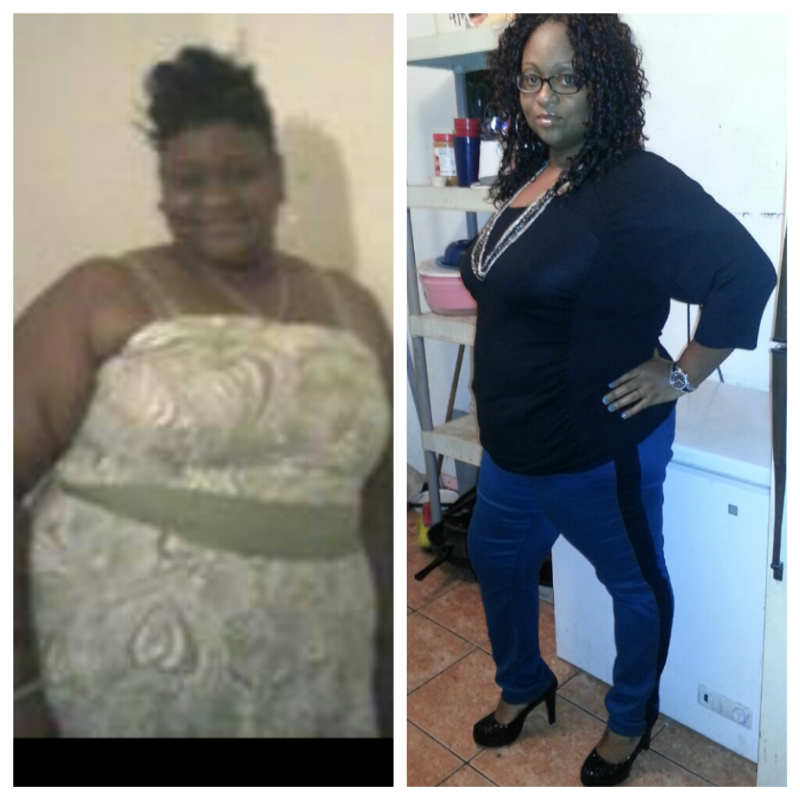
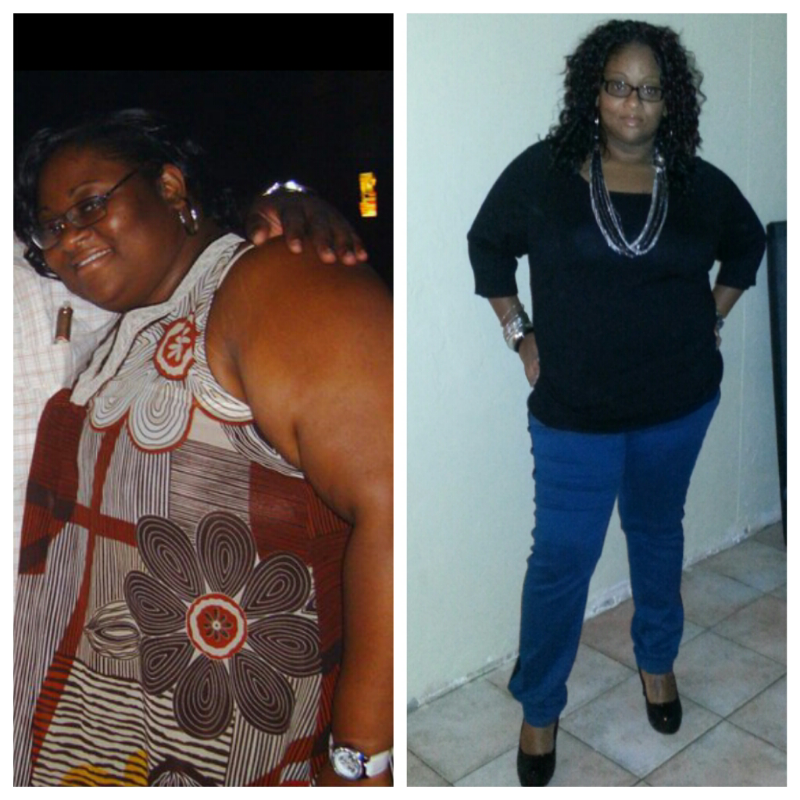
I turned 30 this year and i decided to make the biggest change og my life this year. I had my surgery in Aug. and I have lost ove 80lbs thus far. I have battled a weight problem all my life and it feels great to see the numbers on the scale decline. [ATTACH]1892[/ATTACH]
-
When I decided to have my surgery I got the same reponse from my family and friends. Thats why when i had my surgery my husband and a few close friends were the only ones who knew about it. Now when I pop up to family events their jaws drop to the floor. My point is do whatever you feel is right for yourself, do what makes you happy.:-)
-
My best advice is to take your time and drink slowly. In time you wilk feel better.
-
Im fron Miami and Dr. Sosa performed my procedure 4 months ago.
-
I had my surgery 8/8/12. I have lost 80lbs so far. I was wearing a size 30 now im down to a size 18. In the begining it was hard to adjust to this lifestyle but as the days passed it became easier. Im falling in love with myself again. I love it! [ATTACH]1891[/ATTACH]