-
-
-
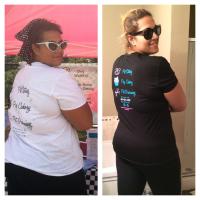
2.5 years post op
Reached my smallest of 216 and have gained 20lbs. I had started getting back into old habits. I also have back pain which makes working out difficult. I'm now back to eating healthy and working out weighting 236. Hoping to reach my goal of 175 by December.
-
-
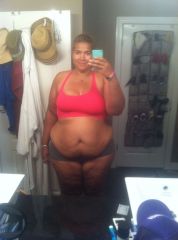
post op 3 months
down 79lbs, 39 inches, and 3 dress sizes :)
-
-
Therese Bell
Therese Bell, a weight loss surgery photo album by Therese Bell on BariatricPal. 3 photos in Before and After Gastric Sleeve Photos.
-
-
-
-
-
October 2013 Sleevers Roll call!
Surgery date:10/22/13 Highest weight: 327 surgery weight: 321.5 current weight: 297 I can not believe I am down 24.5 lbs in 13 days. I'm excited to see what the rest of the month looks like :-D
-
-
-
-
-
-
-
Omg Omg Omg i got Approved
I'm doing pre op now even tho I'm not required to. I just wanted to lose a little prior to surgery. I'm dizzy and weak feeling and nap a lot! Besides that I'm great. Lol
-
-
-
-
Omg Omg Omg i got Approved
- October Sleevers - Who else
Me too :-)- Omg Omg Omg i got Approved
yay woohoo congrats. You are a day before mine yay!!!!! Good luck hun- October Sleevers - Who else
- October Sleevers - Who else
congrats!! me too!!:-)- Omg Omg Omg i got Approved
I'm beyond happy and excited for you!!! You've got this! :-)- Omg Omg Omg i got Approved
Yay not much longer now!!! :-D- October Sleevers - Who else
That's the same as me I don't have a pre-op diet but I do have a 2 day liquid diet and a 900-1,200 calorie diet with high protein for a few weeks. My surgery is the 22nd and pre-op appointments on the 14tb it seems so far away I'm so excited and anxious lol- Omg Omg Omg i got Approved
Yay congrats!!!! :-)- October Sleevers - Who else
My date is October 22nd too!!!! - October Sleevers - Who else
Join BariatricPal free
- Ask your own questions
- Reply and follow topics
- Message other members
- No cost, no spam
Account
Navigation
Search
Configure browser push notifications
Chrome (Android)
- Tap the lock icon next to the address bar.
- Tap Permissions → Notifications.
- Adjust your preference.
Chrome (Desktop)
- Click the padlock icon in the address bar.
- Select Site settings.
- Find Notifications and adjust your preference.
Safari (iOS 16.4+)
- Ensure the site is installed via Add to Home Screen.
- Open Settings App → Notifications.
- Find your app name and adjust your preference.
Safari (macOS)
- Go to Safari → Preferences.
- Click the Websites tab.
- Select Notifications in the sidebar.
- Find this website and adjust your preference.
Edge (Android)
- Tap the lock icon next to the address bar.
- Tap Permissions.
- Find Notifications and adjust your preference.
Edge (Desktop)
- Click the padlock icon in the address bar.
- Click Permissions for this site.
- Find Notifications and adjust your preference.
Firefox (Android)
- Go to Settings → Site permissions.
- Tap Notifications.
- Find this site in the list and adjust your preference.
Firefox (Desktop)
- Open Firefox Settings.
- Search for Notifications.
- Find this site in the list and adjust your preference.