Mkak
Gastric Sleeve Patients
-
Joined
-
Last visited
Everything posted by Mkak
-
OK, the weight loss is nothing short of AMAZING! But, the GED and nursing program are equally just as freaking awesome! Keep up the great work with everything!
-
Ditto! I have been MIA recently, and am totally interested if this is an ongoing thing!
-
Can you do SF popcicles? I would say 100% strained would be OK, but I would just double check with your NUT or surgeon to be sure. You'll get through this girlfriend! I'm 7 months PO and honestly don't even remember those hell weeks! Totally worth it
-
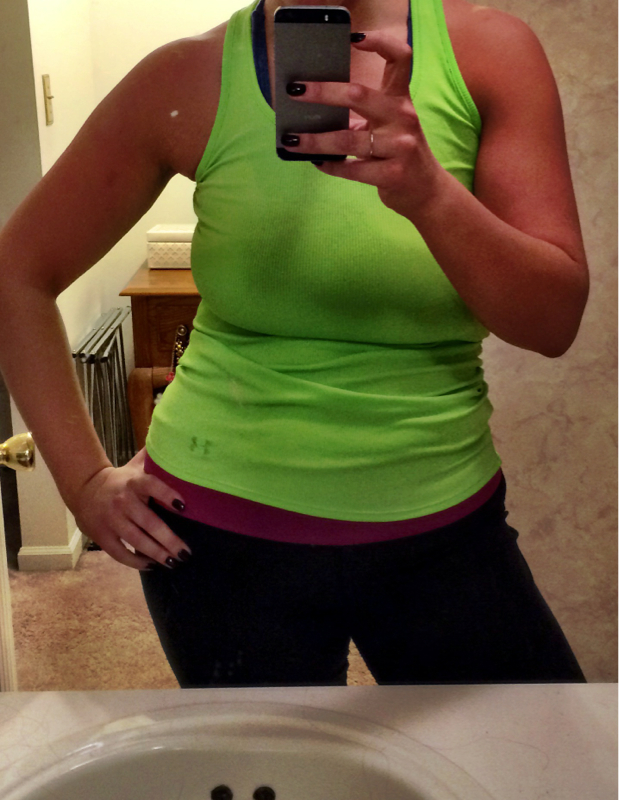
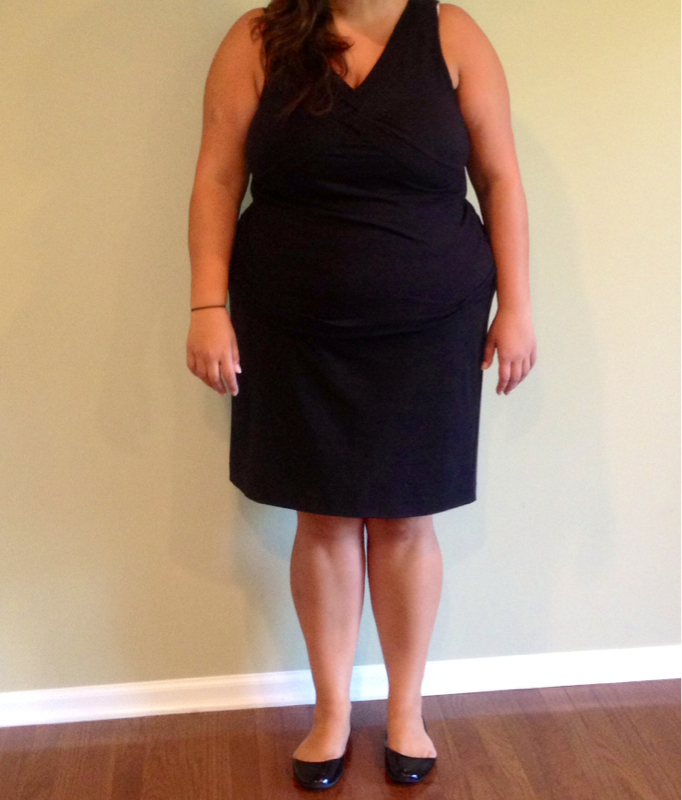
Hey ladies! Forgot all about this thread! Everyone is looking and doing great! I'm in a funk of a mood today, so I'm about to slightly hijack this thread. In need of some gals like me to weigh in... I promise, I'll revert back to our regularly scheduled show after this tangent I'm about 20 pounds from goal of 165 (5'10). I've upped my calories to about 1,250/day (gradually did this over a 2-3 month period). Curious, how many calories is everyone else getting in while still trying to lose? I'm still losing about a pound a week, but am nervous I may have jumped the gun on increasing calories. I've developed a love for lifting heavy weights (feels so strange that I just typed that LOL), so I know I need some fuel to get me through my workouts without going down! When I started this journey I told myself I would stop when I got to a size 10. Welp, I'm officially here (rocking some new Ann Taylor size 10 slacks today YAY) but I'm still not happy to be honest. Recently I've been struggling with accepting/dealing with what I've done to my body as a result of getting so heavy (wonky skin, lower stomach that could scare the boogie man, inner thigh horror, etc.). In clothes I'm fairly happy, but GOD FORBID I catch a glimpse of myself after just getting out of the shower or otherwise naked. Anxiety, tears, dozens of texts to my mom, etc. ensues (I'm so totally dramatic, I know). Anyone else struggle with this? I try to remind myself everyday that this is a marathon and not a sprint, but hot damn this is getting exhausting LOL! SW: 288 CW (in picture): 187 GW: 165

-
Despite all my efforts to sabotage myself this week still managed to lose .5. 192.6!
-
Thank you 4 so much! Needed it all! Packed my lunch and snacks and ready to go for the day! Happy Wednesday everyone! PS Gourmet, laughed out loud for real at your reply hahahaha
-
I need some encouragement/kick in the pants from my fellow challengers! The past 2 days I've been slacking and overeating. Someone tell me it's not even worth it and to stop pleasssssssse?!?!
-
193.1! Pushing to get in the 180s by v-day!
-
This post alarms me. Please, everyone, keep in mind these challenges are simply to keep us accountable. There is no prize, no judgement, just fun. Shells, I hope you get your levels up quickly. You're in my thoughts!
-
196.6 today. Not a huge loss, but I'll take it!
-
Thanks, cloud! You sound like you're doing pretty darn well yourself! I almost picked up the Jay Robb protein yesterday but got cold feet haha. How is the taste compared to whey?
-
HOLY FLAT STOMACH! I would be lying if I said I wasn't INSANELY jealous right now! Great job girlfriend!
-
Hi everyone! 197.3 today. Happy Friday!
-
HELLO ONDERLAND! So nice to see you after all these years! 199.8 this morning! Barely made it, but I'll take it! Have a great weekend everyone! I have my first first date tonight in like 3 years. YIKES! Wish me luck!
-
UGH that is the worst! I'm sorry you're going through this! It will come with time, I promise. You're smart for just letting it heal. But seriously, losing that much weight without being able to exercise for half the time is AMAZING!
-
Thank you, Susan!
-
I honestly don't think so? Do you work out a lot? Like the poster above said, when I work out hard I notice I am much hungrier throughout the day. Yesterday I had 4.5 oz. of shredded chicken with 1/4 c. of cheese on it. I definitely was not full. I usually have an orange later in the afternoon, but that sucker came out like an hour after I ate.
-
I can definitely get 5 oz. down of ground beef and about 4 oz. of shredded chicken breast. I get so anxious when I read people who are like a year out and only able to get in 2-3 in! Relieved to hear others are in the same boat!
-
Hey honib! Looks like you're doing all the right stuff! Some things to maybe consider: try increasing your calories to like 1000-1100 one or two days a week, increasing your water or adding in one or two days of "higher" carb days. I usually try to fluctuate my calories to keep my body guessing and on my high days I usually end up doing higher carb (not bad carbs, just more veggies or some plain air popped popcorn). I remember Butterbean saying in an old post he wouldn't lose weight if he only drank 8 cups of water, so I took his advice and guzzle at least 100 oz. throughout the day. Also, I was kind of in a slow funk for a few weeks (not a stall but very slow losses) and ramped up the intensity of my cardio and that has helped me incinerate the pounds over the past 2 weeks. Do you have access to a pool? That is low impact that will get your heart rate pumping. I have read that the elliptical and ArcTrainer (looks like a floating elliptical) are much better on the knees than running or walking, so maybe check those out if you can! Those are some things that are working for me and my surgeon and NUT support them, but just make sure you run any changes you want to make by your medical team just in case!
-
You seriously look 10+ years younger! Amazing job! So exciting!
-
Thank you!
-
Hey August fam! I'm officially 5 months post-op today. Feeling great and loving life. Can't believe were already this far out! I have 35 more pounds to go! How is everyone else doing? Back on track after the yummy holiday season? SW 289 CW 200.7 GW 165


-
Amazing! Keep it up girlfriend!
-
Thank you! I've spent the last 10 years of my life fighting them, FINALLY just decided to embrace it and go with it
-
Thank you both! Sophie, I'm 5'10.