Skip to content
View in the app

A better way to browse. Learn more.

BariatricPal

A full-screen app on your home screen with push notifications, badges and more.

To install this app on iOS and iPadOS
  1. Tap the Share icon in Safari
  2. Scroll the menu and tap Add to Home Screen.
  3. Tap Add in the top-right corner.
To install this app on Android
  1. Tap the 3-dot menu (⋮) in the top-right corner of the browser.
  2. Tap Add to Home screen or Install app.
  3. Confirm by tapping Install.
  • Appearance

Join BariatricPal free

  • Ask your own questions
  • Reply and follow topics
  • Message other members
  • No cost, no spam

RitaB

Gastric Sleeve Patients
  • Joined

  • Last visited

  1. Images added to a gallery album owned by RitaB in Member Photo Gallery
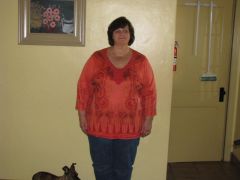
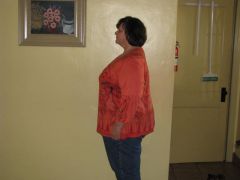
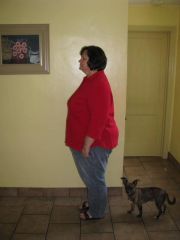
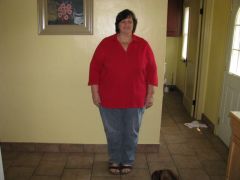
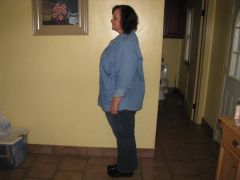
    Rita, a weight loss surgery photo album by RitaB on BariatricPal. 7 photos in Member Photo Gallery.
  2.    RitaB reacted to a post in a topic: July VSGers... How's it going?
  3. Hi everyone. I was sleeved July 9, 2013 and have lost 70 pounds. I am trying not to compare myself to others in here because it only makes me feel down. I am happy with my results so far and look forward to feeling better every day. This surgery has been a blessing to me. My weight has been a life long struggle and I have finally got control of it. I will keep following my food plan and I am sure I will continue to get healthier with every passing day. I am so very happy and hopeful.
  4. I have loss 64 pounds so far. I have quite a ways to go, but I am so happy with this loss. I don't have knee pain anymore!!!!!! I feel great and am so glad I had the surgery!
  5.    JMarshall reacted to a comment on a gallery image: progress
  6.    Cheer Mama reacted to a post in a topic: Hospital bag
  7.    Kaj reacted to a post in a topic: Hospital bag
  8. Christy, I was only in for a little over 24 hours. I wore my loose jeans (loose from pre op diet), I took a back pack with my toothbrush, deodorant, make-up bag and extra pair of panties to wear home. I wore the same clothes home that I wore to the hospital. Keep it simple and good luck. I had no swelling. Rita

Account

Navigation

Search

Search

Configure browser push notifications

Chrome (Android)
  1. Tap the lock icon next to the address bar.
  2. Tap Permissions → Notifications.
  3. Adjust your preference.
Chrome (Desktop)
  1. Click the padlock icon in the address bar.
  2. Select Site settings.
  3. Find Notifications and adjust your preference.