kbierbaum
Gastric Sleeve Patients
-
Joined
-
Last visited
-
-
I completely understand! I was just telling someone the other day that I was kinda depressed about missing food. When you think about it, it makes sense. We had to give up an "essential" part of our existence and now it's gone, it's kind of like a death in the family which is why we mourn it sometimes. I don't regret getting the surgery at all, so don't get me wrong, but there are definite days when my mind is screaming, "ohhh, lets go out to lunch and get a hamburger" and then I snap back to reality and eat my soup instead. Keep up the good work!
-
-
-
-
-
-
-
-
-
-
I'm having a little pain from the gas but I've been walking laps as soon as I could! I imagine it will just get better from here on out! I wanted this so bad so I think that my optimism is knocking out the pain. I knew this was for me when I was willing to put myself on national television this summer when I tried out for the Biggest Loser. I thought, yep. I'm ready for big change.
-
Finally! Surgery done! Went great and so excited!
-
-
-
I'm having surgery Sept. 9 and starting my two week liquid diet today! I did have my food funeral this weekend and it wasn't as wonderful as I wanted it to be! I hope I do good these next two weeks, they will be the longest!
-
I have surgery scheduled for 9/9! So excited! I feel the same way as most of you! I am 35 and 340 at 5'6 and I look into the mirror after two kids and think, "wonder if my husband knew he was gonna get a two for one when he married me." I have literally gained a second person in the last nine years. I can't believe that I "gave up" when I got married! I am trying to get it together and this is my way of getting a grip!
-
I came across your post and wanted to offer my thoughts. I am a therapist and getting the sleeve done as well, so I feel like I might be able to speak to your issue. The journey that we take is life changing, no doubt. While on this journey, issues may surface that feel like they are coming out of nowhere. I strongly recommend that you seek professional assistance to address new attitudes, new relationships, and the process of "grieving" our old relationships with others and our old selves. Whatever plan of care your therapist offers you, including talk therapy and medication, I urge you to consider if it's right for you. Please keep in mind that these forums can be so helpful and supportive, however, the best feedback usually comes from a professional who has taken the time to get to know you!
-
Sept 9!???? So excited, but doesn't seem real! I didn't want my body to freak out about the post-op liquid diet so I went ahead and started drinking shakes for breakfast this month and will add lunch next month before going to straight liquids!
-
My Journey, a weight loss surgery photo album by kbierbaum on BariatricPal. 1 photo in Member Photo Gallery.
-
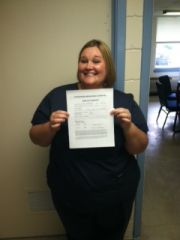
WOW. So I finally decided to do this, only one year in the making or, convincing. I scheduled my surgery and was really looking forward to submitting my time off request! I know that sounds funny, but I thought that I needed something exciting to document and completing the space that says REASON, I was able to write, without any reservations, surgery. What I really wanted to write, though it lacked any kind of professionalism, was "I'm about to get this fat ass off of my fat ass for good!" So one of my awesome co-workers helped me out and took the first picture of my long journey and celebrated my awesome feel good time off request!!!!!