Corky6984
Gastric Sleeve Patients
-
Joined
-
Last visited
-
-
-
-
-
-
-
-
-
-
-
You will!
-
I am a year and 4 months out and have maintained and still exercise. I just upped my calories with some foods, but still do my protein shakes and bars. I have gone up and down like two lbs, but other than that, have been able to maintain with no issue. I was wondering the same thing when I kept losing, but you eventually stop losing huge amounts like in the beginning. Good luck! ????
-
Good luck with Ochsner. They unfortunately screwed me over with my WLS, but glad they did because I found Dr. James Redmann and I couldn't be more happier! I am 1 year and 4 months out and am down 165 lbs. Good luck and glad everyone is doing well! ????
-
I have wondered the same thing! I guess eventually, but when?!?! LoL!!!
-
Way to go and I know exactly what you mean about still seeing yourself as "the fat girl!" I STILL struggle with that as well!
-
-
Looking great ladies!
-
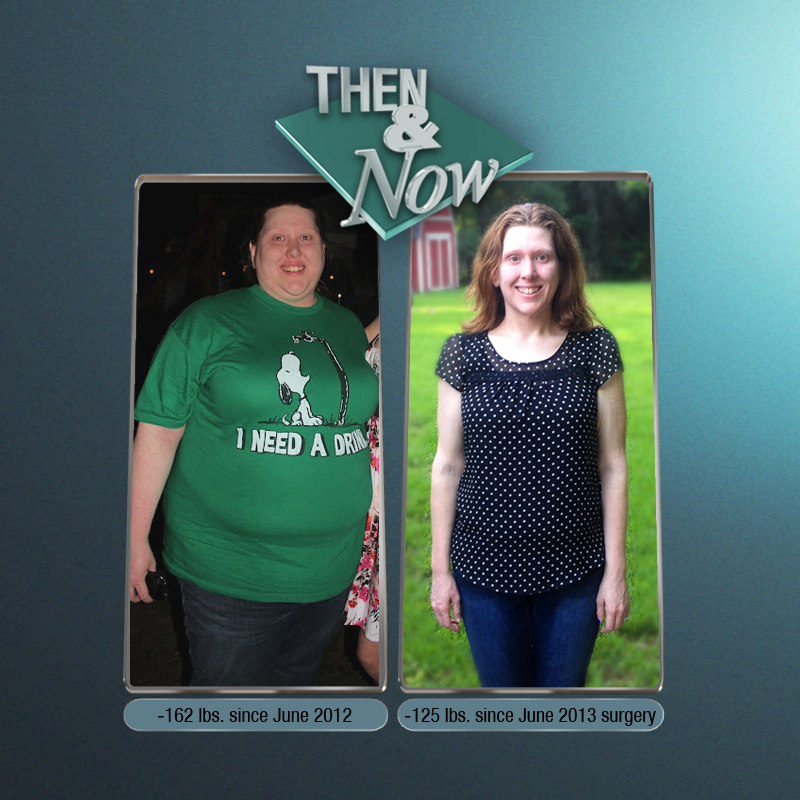
Forgot to post my 1 year pic last Tuesday. 125lbs down from surgery date and 162lbs down since left picture in 2012! I LOVE my sleeve and hope everyone is doing great!!!
-
-
-
My tummy is still good with it. Guess since it was before, it is accustomed. LMAO!!!
-
We were sleeved the same day! I have lost 113lbs since surgery, 153lbs since June 2012 when I started the whole process. Mine has slowed down as well, but it is still going. Good luck!!!
-
Awesome! Keep up the great work! I didn't take any measurements, but I just hit my 7 months on 2/17 and I am down 113lbs and am in a size 9/10 from a 24! I am with you with it being the best thing ever!
-
-
-
-
-
-
Yep, you definitely look cardable if that's a word, lol It is now! LoL!!!
-
LoL! Well that picture on my license, I was 26 and am 29 now. Thanks for the compliment!
-
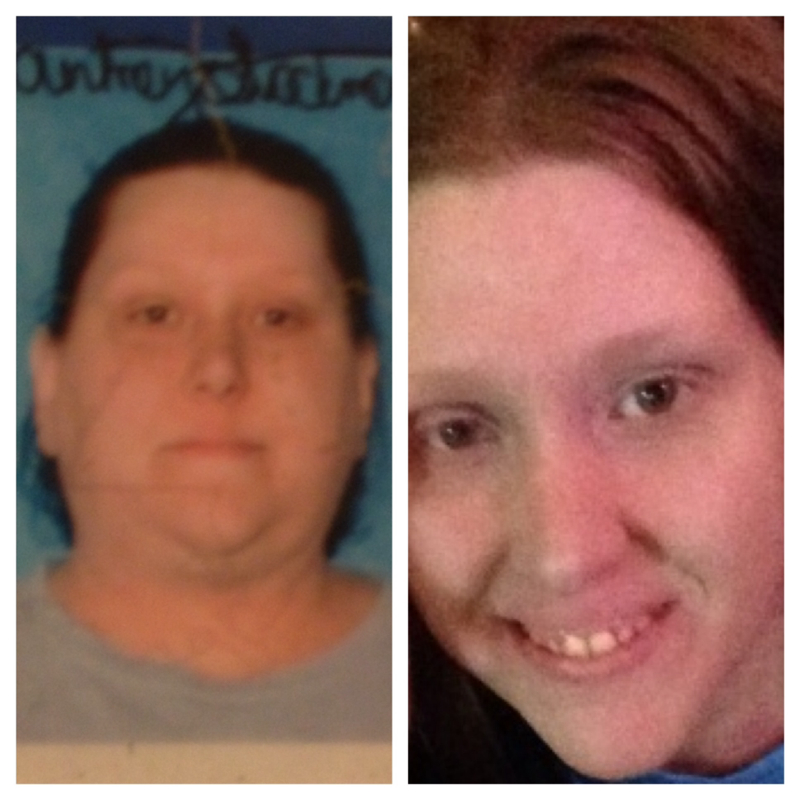
So my cousin, aunt, and I had a girl's night out last night and went to L'auberge casino in Baton Rouge. I got carded and the guy almost didn't let me in. He kept looking at my license and back at me. I finally had to say I had weight loss surgery in June! Just thought I'd share this amusing, yet awesome story. And just for comparison, here is my license pic and me now...
-
-
-
I thought the same thing, but it is the best thing I ever did! After surgery, you would actually be surprised at how you don't even really miss what you used to love. Later on down the line (I am almost 7 months out), you can eventually have a bite or two of what you loved before as a treat and still feel great! I am down 102 lbs since surgery and don't regret it a bit! Good luck in your journey!!!
-
Just do what you should be doing. Get your protein in, drink your water, go to the gym (or do whatever exercises). I did the C25K app and finished the 8 weeks today. Like I said, due to the special project at work and working 12-15 hour shifts, I can only go to gym on weekend, so it took me a little over the 8 weeks to do it, but I stuck to it. If you can't run all of it, walk some, then run some. Pace yourself and do what you can and know it is okay to repeat some of the days until you think you can do more. I love the app and it is free!