Skip to content
View in the app

A better way to browse. Learn more.

BariatricPal

A full-screen app on your home screen with push notifications, badges and more.

To install this app on iOS and iPadOS
  1. Tap the Share icon in Safari
  2. Scroll the menu and tap Add to Home Screen.
  3. Tap Add in the top-right corner.
To install this app on Android
  1. Tap the 3-dot menu (⋮) in the top-right corner of the browser.
  2. Tap Add to Home screen or Install app.
  3. Confirm by tapping Install.
  • Appearance

Join BariatricPal free

  • Ask your own questions
  • Reply and follow topics
  • Message other members
  • No cost, no spam

claudiav220

Gastric Sleeve Patients
  • Joined

  • Last visited

  1. Did u have to miss any work
  2. Was it a simple surgery....
  3. Thank you. .. for getting back... Is it simple...
  4. Help... had an endoscopy. .yesterday.. surgeon found that my sleeve is narrow. . I have really bad reflux.... says I need surgery. .. I was coming off Micheal Jackson juice... when he told me.. anyone ever have this...
  5.    miks reacted to a post in a topic: 2 yrs put
  6.    lucky1gg33 reacted to a post in a topic: 2 yrs put
  7.    reree6898 reacted to a post in a topic: 2 yrs put
  8.    ProudGrammy reacted to a post in a topic: 2 yrs put
  9.    ProudGrammy reacted to a post in a topic: 2 yrs put
  10.    S(he) be(lie)ve(d) reacted to a post in a topic: 2 yrs put
  11.    ProudGrammy reacted to a post in a topic: Reward
  12.    Babbs reacted to a post in a topic: 2 yrs put
  13.    Elode reacted to a post in a topic: 2 yrs put
  14.    The Candidate reacted to a post in a topic: 2 yrs put
  15. I hvent done anything..big... but I did fix my front teeth... they were a lil cracked..but I fixed them....now I can smile. ..
  16. One thing you hve rewarded yourself. .
  17. Thank you. .been easy..but hard...
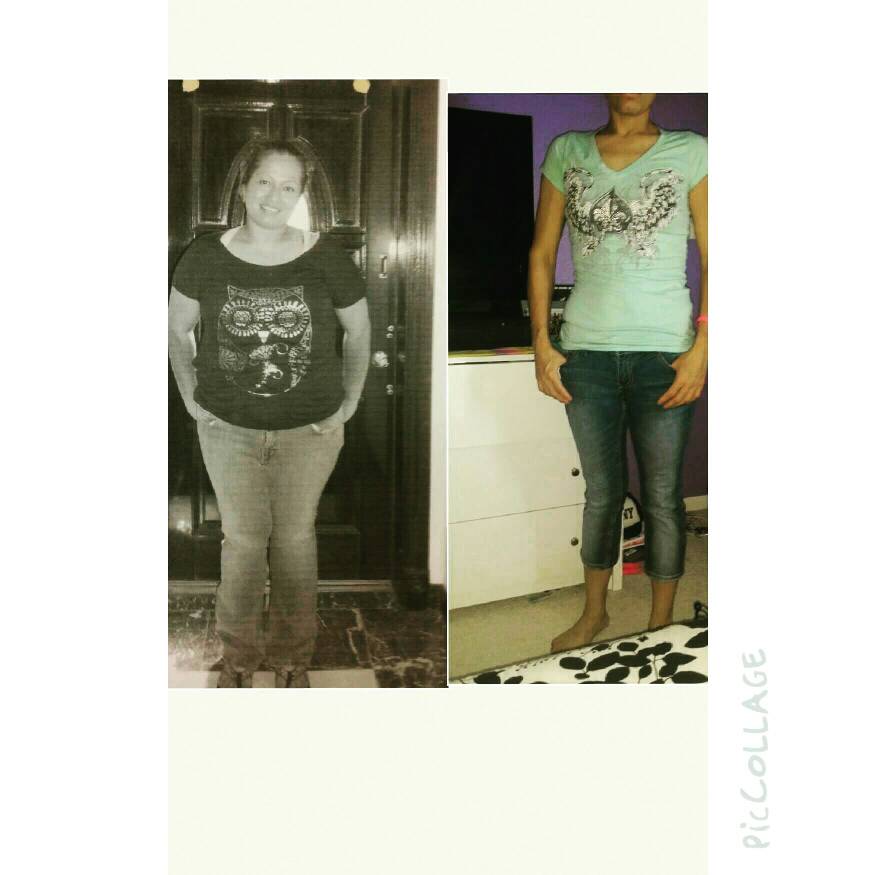
  18. 226 _ 126 2 yrs out

Account

Navigation

Search

Search

Configure browser push notifications

Chrome (Android)
  1. Tap the lock icon next to the address bar.
  2. Tap Permissions → Notifications.
  3. Adjust your preference.
Chrome (Desktop)
  1. Click the padlock icon in the address bar.
  2. Select Site settings.
  3. Find Notifications and adjust your preference.