




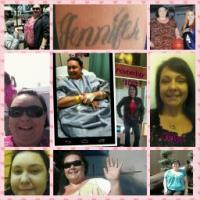
GENNYOSKINNY
Gastric Sleeve Patients
-
Joined
-
Last visited
Everything posted by GENNYOSKINNY
-
I am weighting on a date to get my surgery for sometime in december Sent from my DROID RAZR HD using VST
-
Hehe Im from ceres, but also lived in turlick and modesto. All my family is there.:^) Sent from my DROID RAZR HD using VSTNo its at good samaratin hospital Sent from my DROID RAZR HD using VST↖(^▽^)↗Looking for people from california, Im in Redding, ca Having Surgery In San Jose, caDr. Richard Nguyen at advanced surgical associats. Amazing Dr. Sent from my DROID RAZR HD using VST

Account
Navigation
Search
Configure browser push notifications
Chrome (Android)
- Tap the lock icon next to the address bar.
- Tap Permissions → Notifications.
- Adjust your preference.
Chrome (Desktop)
- Click the padlock icon in the address bar.
- Select Site settings.
- Find Notifications and adjust your preference.
Safari (iOS 16.4+)
- Ensure the site is installed via Add to Home Screen.
- Open Settings App → Notifications.
- Find your app name and adjust your preference.
Safari (macOS)
- Go to Safari → Preferences.
- Click the Websites tab.
- Select Notifications in the sidebar.
- Find this website and adjust your preference.
Edge (Android)
- Tap the lock icon next to the address bar.
- Tap Permissions.
- Find Notifications and adjust your preference.
Edge (Desktop)
- Click the padlock icon in the address bar.
- Click Permissions for this site.
- Find Notifications and adjust your preference.
Firefox (Android)
- Go to Settings → Site permissions.
- Tap Notifications.
- Find this site in the list and adjust your preference.
Firefox (Desktop)
- Open Firefox Settings.
- Search for Notifications.
- Find this site in the list and adjust your preference.