Milbedil
Gastric Sleeve Patients
-
Joined
-
Last visited
Everything posted by Milbedil
-
Thank you for the reminder...I needed this...and yes I am super proud...I have been working hard with getting it off and also exercising...running my 2nd 5k this weekend and congrats to you as well!
-
that does not make my stomach hurt. I do know Protein gives more restriction than the junk. Wondering if it is more head thing than anything...ugh...my stomach just aches on any other food than what was listed above.
-
I am 80 pounds down and 4 months out. My problem is that I have came to a point of the only thing that even remotely feels good to my stomach is junk food...I do eat Greek yogurt for the protein with peanut butter in it, an I do eat beef jerky. But aside from that no other source of protein. What can I do? I need a reset in a bad way.
-
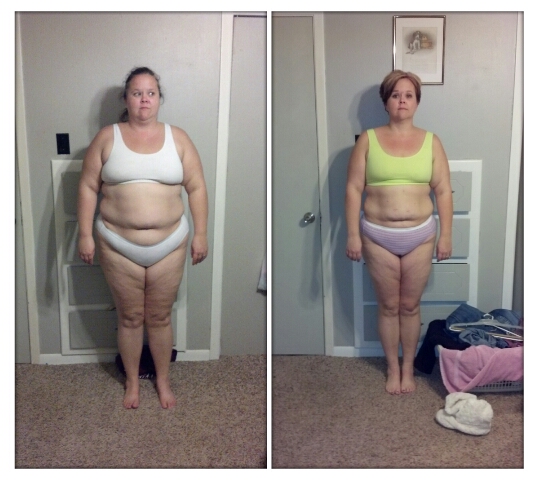
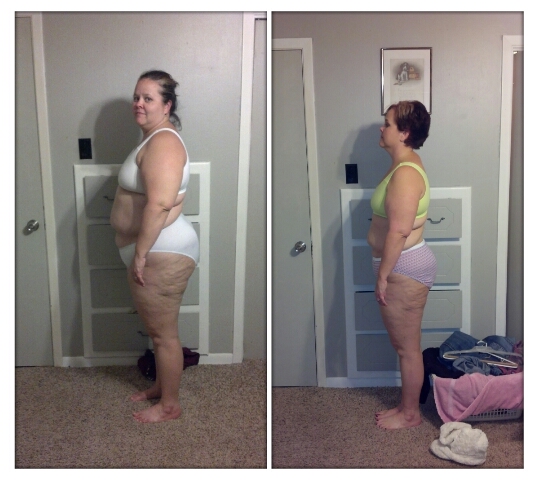
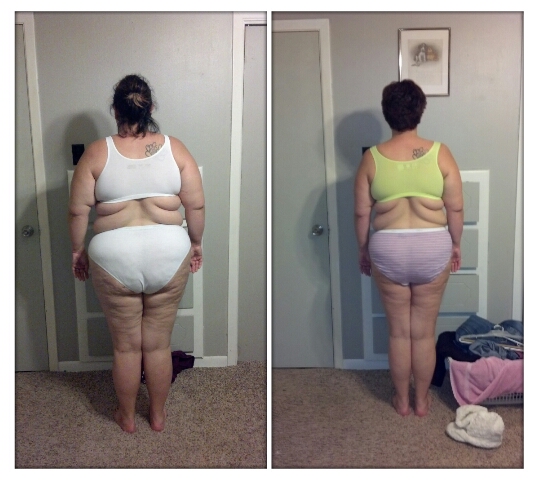
sleeved on Oct. 16 Starting weight 270 Day of Surgery 257 Todays Weight 190 I have hit a stall and the 190 is moving the speed of a sloth. lol...I have been exercising since the beginning of the New Year. It seems to help.
-
I was a 20-22 and now in 14-16...the GREATEST thing so far is that I do not have to think about breathing...it really does come naturally...lol
-
I am right there with ya...I am so ready for onederland! Great Job and keep up the GREAT work!!! We can do it! )
-
Thank you to everyone! Yes a dresser built into the wall..best space saver ever!
-
Thank you! Yes very proud...not been the easiest ride but definitely wroth it. I have been working out since 2 week post op...trying to keep skin surgery to a minimum...thanks the positive encouragement!
-
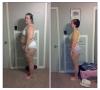
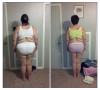
3 months 70 pounds
-
I eat mashed potatoes and drink shakes...that is it...meat is horrible on my stomach...I really have no interest in food as well. There is really nothing that sparks my interest or taste super spectacular.
-
I had to wait 2 weeks...i do not like food anymore though...lol...it is not all that great for me when i started to eat real food...sleeved 2 1/2 months ago...good luck and God bless
-
I have done it a million times....shakes and soups for almost 5 weeks...i am just now slowly re-introducing it wasn't my sleeve it was me...i am having to learn to eat slow and not as much! Blessings to you
-
I am in the same boat...Everything is just icky to me...I do not like eating...it all makes my stomach turn thinking about it...Everytime I eat, because I do eat I get the uncomfortable feeling no matter how slow or small of food I eat. I have a great support system which helps...hang in there...veteran sleevers keep telling me it gets better...Many blessings to you!
-
I actually got to buy a juniors shirt last night...I was so psyched!!! woot woot...GO US!
-
I am 1 month today...so far I have been doing some time of liquid for breakfast...my tummy still feels way too small for food...
-
YOU LOOK AWESOME...KEEP UP THE GREAT WORK!
-
35 down total in 5 weeks...an i can breathe so much better...an i see the change...more than worth it, [ATTACH]6129[/ATTACH]

-
I was sleeved on Oct. 16...so far so good...the "REAL" food is hard to get down...I definitely get the full feeling after about 3 bites of any meat...so I have learned to slow down, use the baby fork or spoon, an enjoy my bites...I lost 15 Pre-op 20 Post-op...so far so good...just started the exercise thing this week...still needing to find energy...but I love my sleeve!
-
So I got tired of the Protein drinks...the smell, the taste, everything...and got turned on to Visalus...it has a great taste with many different recipes to try...I use it for my Breakfast and sometimes dinner...depending on how full I am feeling...I am 3 weeks out today. I have lost a total of 35 pounds including pre-op and 20 of that is post-op. Just thought I would throw this out there...it may help more people who are tired of the Protein Drinks and need a change with still getting protein in. http://Browne0304.bodybyvi.com/challenge
-
That is so funny...I am better with cold...it just goes to show how many people are so different with their healing...but just it does get better...I am 2 weeks postop...love my sleeve already...I am never hungry and if I didn't have to eat I probably wouldn't...lol...right afterwards...I thought I was going to starve to death... Many blessings to you! Hang in there
-
I totally understand...somehow we have to continue eating though
-
You look awesome!!! Congrats and Keep up the GREAT work! God Bless!
-
Slow tiny bits...BIG deal!!! I ate too big of bites way too fast the first time...and ugh...it was no good...it all came right back up...it is definitely going to take some getting used to...
-
so I am only 1 week out...the stall is it a total of 3 weeks or just at week 3 you stall? I have not understood that yet...Sorry
-
I am in the same boat...but I am 1 week post op....the chest pain after eating anything is not good...hope you get to feeling better!