Skip to content
View in the app

A better way to browse. Learn more.

BariatricPal

A full-screen app on your home screen with push notifications, badges and more.

To install this app on iOS and iPadOS
  1. Tap the Share icon in Safari
  2. Scroll the menu and tap Add to Home Screen.
  3. Tap Add in the top-right corner.
To install this app on Android
  1. Tap the 3-dot menu (⋮) in the top-right corner of the browser.
  2. Tap Add to Home screen or Install app.
  3. Confirm by tapping Install.

itchycat55

Gastric Sleeve Patients
  • Joined

  • Last visited

  1.    gigi4 reacted to a comment on a blog entry: Pre-Surgery Shopping List
  2.    Nick'sMom reacted to a comment on a blog entry: Pre-Surgery Shopping List
  3.    KristinaAshley reacted to a comment on a blog entry: Pre-Surgery Shopping List
  4. Benefiber Protein Powder Herbal Teas Sugar free applesauce, frozen fruit, canned fruit, popsicles Beef, chicken broth Tomato soup lowfat cream soups beans fat-free refried beans canned fish canned white chicken meat cottage cheese plain non fat yogurt sugar free V-8 juice canned peas, carrots, beets, squash eggs or egg beaters
  5. Bravo! Keep it up...I can only imagine being 5 months out.
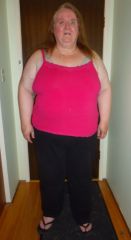
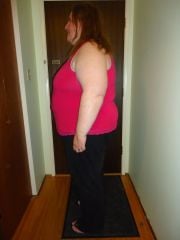
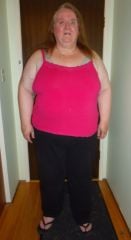
  6. Images added to a gallery album owned by itchycat55 in Member Photo Gallery
    Hoping to fill with pics from start to finish...

Trending Products

PatchAid Vitamin Patches

Account

Navigation

Search

Search

Configure browser push notifications

Chrome (Android)
  1. Tap the lock icon next to the address bar.
  2. Tap Permissions → Notifications.
  3. Adjust your preference.
Chrome (Desktop)
  1. Click the padlock icon in the address bar.
  2. Select Site settings.
  3. Find Notifications and adjust your preference.