-
Commitingtochange23 changed their profile photo
-
-
June 2013 Sleevers GROUP
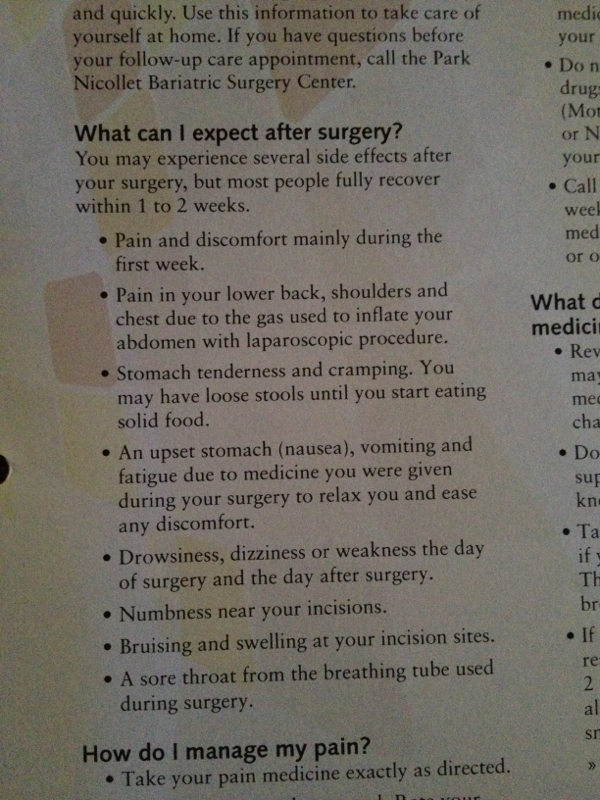
Here is some information I got in my Bariatric book I will share with you guys
-
June 2013 Sleevers GROUP
- June surgery dates
Awesome I'm right with you, on clear liquid ready to get sleeved tomorrow morning!- Vsg In Minneapolis Area?
I think you can hide it- Vsg In Minneapolis Area?
https://www.facebook.com/groups/532062356830475/ This is the link I really hope it works- June surgery dates
Congrats, I know it's hard and I start mine next week, gotta be strong ????- June surgery dates
Yay! I start my liquid diet next week too on tuesday- June surgery dates
- June surgery dates
Omg! I'm June 21st and I start my pre op liquid diet on the 11th very excited- June 2013 Sleevers GROUP
I'm glad you are doing well- Vsg In Minneapolis Area?
It's called vsg twin cities mn support group and has a coffee icon- June surgery dates
I'm the 21st too and start my 10 day liquid diet on the 11th ????nice to see others have the same date- Vsg In Minneapolis Area?
Please try it again , I'm sorry I changed the settings- Vsg In Minneapolis Area?
Join my VSG Twin Cities MN Support Group- Vsg In Minneapolis Area?
yes, its called VSG Twin Cities MN Support Group

Join BariatricPal free
- Ask your own questions
- Reply and follow topics
- Message other members
- No cost, no spam
Account
Navigation
Search
Configure browser push notifications
Chrome (Android)
- Tap the lock icon next to the address bar.
- Tap Permissions → Notifications.
- Adjust your preference.
Chrome (Desktop)
- Click the padlock icon in the address bar.
- Select Site settings.
- Find Notifications and adjust your preference.
Safari (iOS 16.4+)
- Ensure the site is installed via Add to Home Screen.
- Open Settings App → Notifications.
- Find your app name and adjust your preference.
Safari (macOS)
- Go to Safari → Preferences.
- Click the Websites tab.
- Select Notifications in the sidebar.
- Find this website and adjust your preference.
Edge (Android)
- Tap the lock icon next to the address bar.
- Tap Permissions.
- Find Notifications and adjust your preference.
Edge (Desktop)
- Click the padlock icon in the address bar.
- Click Permissions for this site.
- Find Notifications and adjust your preference.
Firefox (Android)
- Go to Settings → Site permissions.
- Tap Notifications.
- Find this site in the list and adjust your preference.
Firefox (Desktop)
- Open Firefox Settings.
- Search for Notifications.
- Find this site in the list and adjust your preference.