QueenBee123
LAP-BAND Patients
-
Joined
-
Last visited
Everything posted by QueenBee123
-
Thank you all so much xx
-
Thank you all for your positive feedback, it's much appreciated x
-
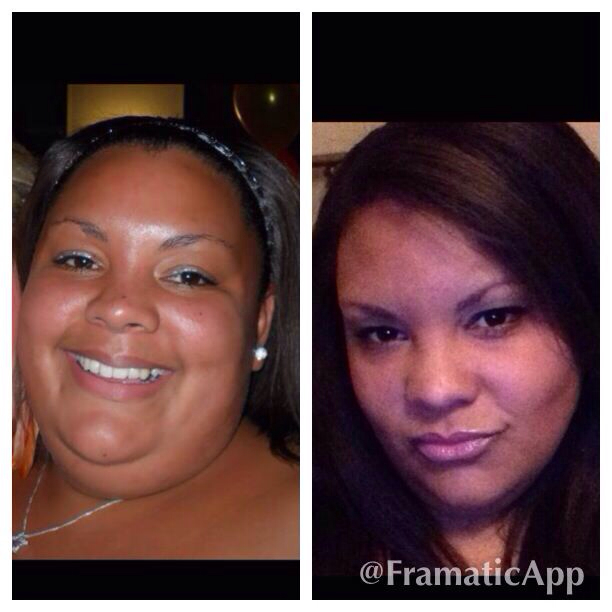
I can't see of feel the difference in myself until my friend put this comparison picture together for me?! This 110% boosted my day and made me realise there is progress and I'm not even aware of it! Happy loosing one and all ????
-
I had my first fill today. Band was fitted on 12th sept this year. I know currently have 4.8 in a 14ml band! Next fill is booked for 3 weeks time. I haven't experienced any issues today since the fill. ????
-
All foods seem to now give heart burn too. I have never suffered with this before having my band.
-
I had my surgery yesterday too! I've been lucky as hardly no pain and no gas issues! So far so good ???Š
-
I've been doing the milk and yogurt Pre op diet for 4 weeks now! Mainly to reduce my BMI and get it below 50 (was 57) as well as shrinking the liver! It's not been easy but I've got too much to lose (no pun intended) to cheat! Surgery was booked for 22/8/13 but has had to be re scheduled due to BMI still being 52! I'm determined to stick with it and do what ever it takes to have my wls. Watch this space.....???Š