Skip to content
View in the app

A better way to browse. Learn more.

BariatricPal

A full-screen app on your home screen with push notifications, badges and more.

To install this app on iOS and iPadOS
  1. Tap the Share icon in Safari
  2. Scroll the menu and tap Add to Home Screen.
  3. Tap Add in the top-right corner.
To install this app on Android
  1. Tap the 3-dot menu (⋮) in the top-right corner of the browser.
  2. Tap Add to Home screen or Install app.
  3. Confirm by tapping Install.
  • Appearance

Join BariatricPal free

  • Ask your own questions
  • Reply and follow topics
  • Message other members
  • No cost, no spam

OneHawtGammy

LAP-BAND Patients
  • Joined

  • Last visited

Everything posted by OneHawtGammy

  1. Images added to a gallery album owned by OneHawtGammy in Member Photo Gallery
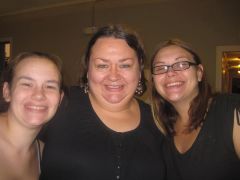
    I'm usually behind the camera
  2. these are all so good! here's mine: 1. Ride a bike without the tires digging into the dirt 4 inches. 2. Use the stairs at work instead of the elevator 3. Sit in a booth at a restaurant instead of insisting on a table. 4. Feel like my husband is really proud of me 5. Rekindle love life with husband 6. Scuba dive 7. Parasail 8. turn diabetes around 9. give up CPAP 10. turn high blood pressure around 11. look forward to watching all 9 grandchildren grow up 12. look good at the pool without wearing cover ups 13. not drive around and around the parking lot looking for the closest spot 14. learn to dance (even though I've been told I have no rhythm!) 15. wear high heels again without feeling like I'm front heavy 16. surf 17. be able to wear my class ring on my ring finger instead of my pinky I could go on and on...this is such good therapy!
  3. Images added to a gallery album owned by OneHawtGammy in Before and After Gastric Sleeve Photos
    auntiebev726, a weight loss surgery photo album by OneHawtGammy on BariatricPal. 1 photo in Before and After Gastric Sleeve Photos.


Account

Navigation

Search

Search

Configure browser push notifications

Chrome (Android)
  1. Tap the lock icon next to the address bar.
  2. Tap Permissions → Notifications.
  3. Adjust your preference.
Chrome (Desktop)
  1. Click the padlock icon in the address bar.
  2. Select Site settings.
  3. Find Notifications and adjust your preference.