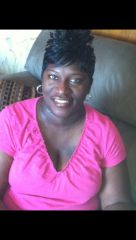
Neka
LAP-BAND Patients
-
Joined
-
Last visited
Everything posted by Neka
-
Hey Drehn, I banded July 1, 2013....so that qualifies you to be my mentor. Lol. I'm in Keller, Tx and work in Plano. If you are still open to a buddy I'm open, plus I'm still a newbie.
-
Hey everyone, I'm a newbie. Just banded July 1st and I'm loving this app. I live in Keller, Texas am looking for some local support..hell I'll take any support. #justfeelingalone
-
Neka, a weight loss surgery photo album by Neka on BariatricPal. 1 photo in Before and After Lap Band Photos.
-
I just banded July 1st and have enjoyed the Premier Protein shakes. chocolate or Vanilla they are great and have 30g of protein. I purchased them from costco at a case price of $27.00 for 18. Your date will be right around the corner. Stock up!
-
It's hard but I am faithfully drinking my Protein shakes from costco and eating malt o meal. I never would have thought I would be full off that. Lol!!
-
Hey everyone...happy 4th July! This my fourth day from my lapband surgery. Today is defiantly the better of all four days. Only issue that I'm still battling is these pains/tension in my left shoulder and neck. #ineedasupportgroupandnewfriends