niters72
LAP-BAND Patients
-
Joined
-
Last visited
Everything posted by niters72
-
I had my band with plication on March 11th. It is encouraging to read your story. I have had up and downs because my band is not filled yet, so sometimes I eat the wrong foods but I just have to remind myself that tomorrow is another day and I can do this. I have got rid of all of my clothes that was too big because I am not going to be that size anymore, that is my motivation. I shop for smaller clothes at thrift stores because I won't be wearing it for very long. Congratulations and good luck on your journey.
-
I had surgery on March 11th. I have lost 30 pounds. I have not had a fill yet and so I haven't had any problems with drinking water. I would make sure that you follow what your doctor's have told you and you will do fine. I get my first fill next month. Good luck!!
-
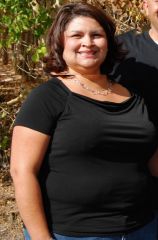
niters72, a weight loss surgery photo album by niters72 on BariatricPal. 1 photo in Before and After Lap Band Photos.