Scotty75
LAP-BAND Patients
-
Joined
-
Last visited
-
-
-
-
-
Thanks Bec, ill look into it. I'm doing as much homework n research b4 making any decisions.
-
-
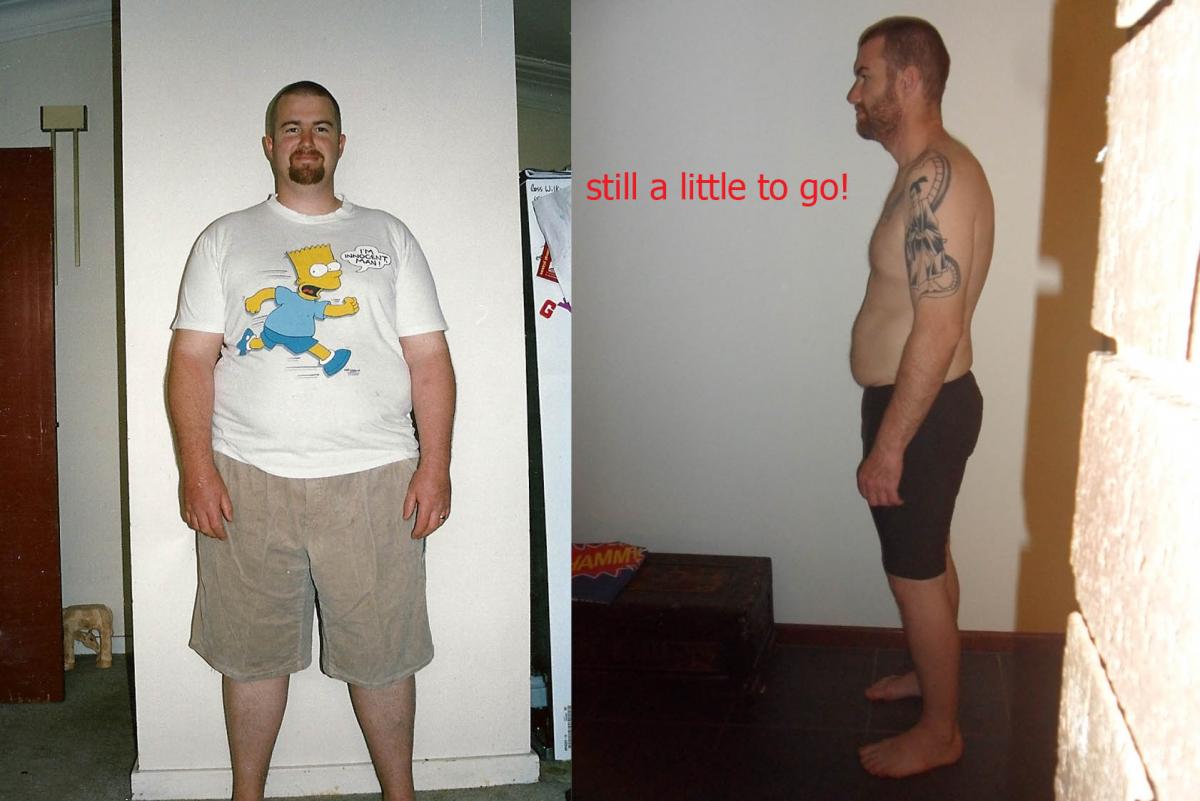
Yeah Sue, I still get recognised lol. It's hard though they all think it was a magic diet. Saying stuff like they're really proud of the effort etc etc makes me feel like a bit of a fraud..... When asked I just say I eat heaps less and exercise more. After I have my skin chop I think I'll let everyone know. I don't feel ready to tell all until then. Aussie I have heard its pretty damn tough after skin chop, not really looking forward to it but like u said its a final piece to the puzzle. Thinking bout doing Thailand thingo for op .... Any suggestions. I'm out of cash after VSG.
-
-
-
-
-
-
Thanks Kell, it will be about 18 months by the time I have surgery. I had a good photographer to hide my extras lol. It's my final chapter in my life change and ill be glad to be happy with the skin I'm in.
-
-
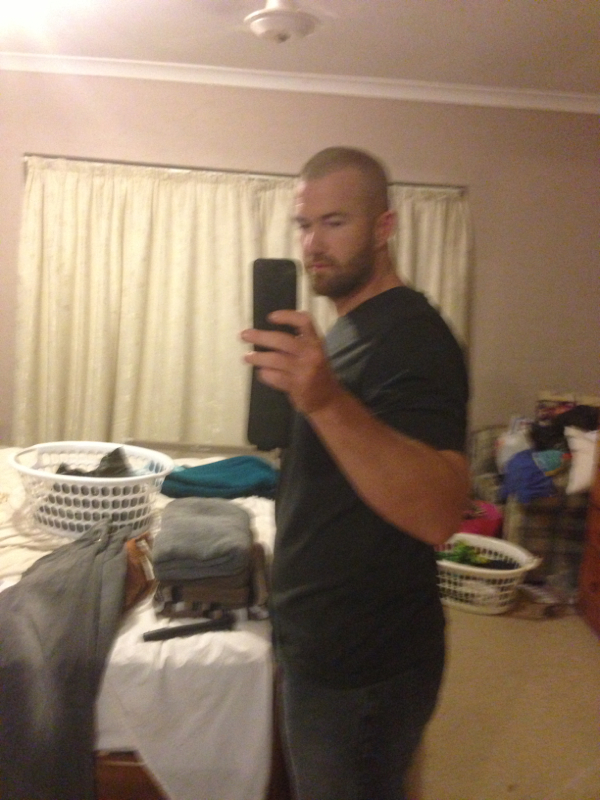
10 months after surgery, getting there. I am now planning surgery, body lift and legs.

-
-
-
-
-
lol, stop it guys im Blushing........
-
This is a bit of a newby question but how do I add photos off my iPhone :-)Yup mining in the Pilbara, moved over for a bit of an adventure. Love it out here so far, waiting for the heat..... Lol.Hi everyone!!! Its been a long time........Ive been going over the posts and you guys are rocking...... . Im at that stage where im starting to look at a body lift. Has anyone been there yet?? If you know of any places in WA thatd b be tops. I think I have lost about 40 kgs so far and I reckon with the body lift it will take me to around 95kgs. Theres been big changes for me since the op, Ive moved to WA in the Pilbara, obviously new job, Training heaps and loving the new me. Aint life grand...... ScottyHi all, I am struggling with all the positive comments from ppl, all the big guys are asking me how I've done it etc etc. I basically just say I eat a heap of small meals a day( which isn't a lie) but I feel like a bit of a fraud ( obviously I haven't told anyone about surgery). I hate lying its just not in my nature. I have told 1 mate at work and he told me he hasn't told anyone but u just don't know. On a different note I'm going for a new job on the other side of Aus, bit scary bit exciting, chance to start new. That's all I got, ScottyHi all, had my my 3 month ( actually closer to 4) checkup and all was good. Lost 58 percent of excess weight, expect me to lose same again in the next 6-9 months. 30 kgs is awesome I'm expecting another 20kgs all up. Loose skin is going to be a big issue, already looking into surgery for that but will wait till 2 years is up. Feeling awesome buying new clothes ( even though they don't last long lol) Food is all good, can't eat eggs or lamb. Still eat beef pork chicken. Only getting in about 600 cal 300 of that is iced tea which NUT wants me to cut out but have trouble drinking water so rather that than nothing. Back into training and loving it, taken up surfing ( wife calls it mid life crisis lol) did RAW challenge, doing colour run in May, then a mountain man triathlon in sept. loving life. Love sleeveThanks guys for the posts, I might try those oats Dean. I was only eating toast as I thought it might be light enough to stay down. I had to reschedule my dieticians appt. I'm sure it'll get better. ScottyHi all, just been reading through the posts and wow u guys are rocking it. Me on the other hand,struggling....... Im finding it real hard to eat. Yesterday I had 3/4 toast ( which came back up) bout 100g fish, Iced tea 500ml, 1ltr Water. I am always feeling run down but cant force myself to eat anything. I am around the 11 weeks (i think). I am having a multi every day. I have been back training on my days off but you can guess I am drained start to finish. Been stalling all the time lost around 27kgs so pretty happy with that still another 15-20 to go. My only naughty thing is I have a rum n coke about 3 days a week. I try and eat mainly Protein ( when I am eating), cant really stomach the shakes anymore. Just lately always feeling run down and off. Really struggle with the water but iced tea goes down well, cant even stand diet cordial or other flavourings. Any hoo that was my wo is me whinge. Glad ur all doing well. ScottyHi everyone, just checking in in 7 weeks down 16 kgs ( plus 6kgs per op) feeling good, went back to training which was good, started going to gym again ( not very regular). Have had a few lil issues with food not sitting right, prob eating too quick ( we live n learn lol). I watched a YouTube video of a Perth lady who had VSG n she posted what she was eating at weeks 5-7 n there's no way I could eat that much. Anyhoo off to bed. ScottyStay positive, keep us updated.