Skip to content
View in the app

A better way to browse. Learn more.

BariatricPal

A full-screen app on your home screen with push notifications, badges and more.

To install this app on iOS and iPadOS
  1. Tap the Share icon in Safari
  2. Scroll the menu and tap Add to Home Screen.
  3. Tap Add in the top-right corner.
To install this app on Android
  1. Tap the 3-dot menu (⋮) in the top-right corner of the browser.
  2. Tap Add to Home screen or Install app.
  3. Confirm by tapping Install.

Angelcarm

LAP-BAND Patients
  • Joined

  • Last visited

  1.    READY4CHANGE2013 reacted to a gallery image: 577176 4095939430550 195318753 N
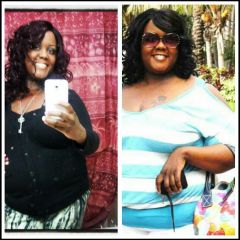
  2.    Angelcarm reacted to a gallery image: The New me' So Far So good Oct 2012
  3.    Red_Charms09 reacted to a gallery image: 577176 4095939430550 195318753 N
  4.    Angelcarm reacted to a comment on a gallery image: 577176 4095939430550 195318753 N
  5.    Angelcarm reacted to a comment on a gallery image: 577176 4095939430550 195318753 N
  6.    Angelcarm reacted to a gallery image: i feel great
  7. New1 started following Angelcarm
  8.    Angelcarm reacted to a post in a topic: Any May Sleevers Here?
  9.    dackn8tr reacted to a post in a topic: Any May Sleevers Here?
  10.    Sleeve-A-Licious reacted to a post in a topic: Any May Sleevers Here?
  11. I'm also doing sugar free pudding and jello and cream soup I have diabetis r
  12. I'm also doing sugar free pudding and jello and cream soup I have diabetis
  13. I started my liquid diet today and I went to GNC and got the pre mix total lean shake its very good
  14.    Angelcarm reacted to a post in a topic: Any May Sleevers Here?
  15.    danithediva reacted to a post in a topic: Any May Sleevers Here?
  16. Im being Sleeve on May 16th im nervouse and excited !!!!!!

Trending Products

PatchAid Vitamin Patches

Account

Navigation

Search

Search

Configure browser push notifications

Chrome (Android)
  1. Tap the lock icon next to the address bar.
  2. Tap Permissions → Notifications.
  3. Adjust your preference.
Chrome (Desktop)
  1. Click the padlock icon in the address bar.
  2. Select Site settings.
  3. Find Notifications and adjust your preference.