Skip to content
View in the app

A better way to browse. Learn more.

BariatricPal

A full-screen app on your home screen with push notifications, badges and more.

To install this app on iOS and iPadOS
  1. Tap the Share icon in Safari
  2. Scroll the menu and tap Add to Home Screen.
  3. Tap Add in the top-right corner.
To install this app on Android
  1. Tap the 3-dot menu (⋮) in the top-right corner of the browser.
  2. Tap Add to Home screen or Install app.
  3. Confirm by tapping Install.
  • Appearance

Join BariatricPal free

  • Ask your own questions
  • Reply and follow topics
  • Message other members
  • No cost, no spam

MissMarcie609

LAP-BAND Patients
  • Joined

  • Last visited

Everything posted by MissMarcie609

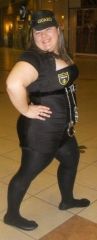
  1. Images added to a gallery album owned by MissMarcie609 in Before and After Lap Band Photos
    Before surgery, a weight loss surgery photo album by MissMarcie609 on BariatricPal. 7 photos in Before and After Lap Band Photos.
  2. Congrats!!! Very happy for you!! Mine is the 20th also! My journey was surprisingly fast! I had my very first lapband consult on 11/11/2011 (Everyone says it was my lucky day!) and between tests and primary visits its been only a month! I feel like im going to start off the new year with a fresh start.
  3. Hello everyone! Im Marcela, or Marcie as everyone calls me. Im 22 years old and im getting banded on the 20th! I started at 248 and since ive started the whole journey im down to 243. Im sooo excited yet nervous about the whole thing. Does anybody have any tips that could help me calm my nerves before this surgery?? Please and thank you!
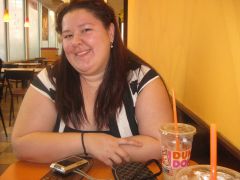
  4. Images added to a gallery album owned by MissMarcie609 in Member Photo Gallery
    MissMarcie609, a weight loss surgery photo album by MissMarcie609 on BariatricPal. 1 photo in Member Photo Gallery.

Account

Navigation

Search

Search

Configure browser push notifications

Chrome (Android)
  1. Tap the lock icon next to the address bar.
  2. Tap Permissions → Notifications.
  3. Adjust your preference.
Chrome (Desktop)
  1. Click the padlock icon in the address bar.
  2. Select Site settings.
  3. Find Notifications and adjust your preference.