Skip to content
View in the app

A better way to browse. Learn more.

BariatricPal

A full-screen app on your home screen with push notifications, badges and more.

To install this app on iOS and iPadOS
  1. Tap the Share icon in Safari
  2. Scroll the menu and tap Add to Home Screen.
  3. Tap Add in the top-right corner.
To install this app on Android
  1. Tap the 3-dot menu (⋮) in the top-right corner of the browser.
  2. Tap Add to Home screen or Install app.
  3. Confirm by tapping Install.

spatter2

LAP-BAND Patients
  • Joined

  • Last visited

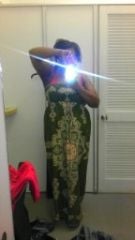
I have been a pretty nice thick female since I could remember. Back in the day it called thick or health person. As I grew up and getting bigger and bigger a lot of my health issues wasnt doing so well, I n my 20's it was almost 300 pounds lost that weight feeling okay. Found out that I has pcos that was stoping me from having kids at first I was like I don't want kids at all. Growing up getting older and seeing friends and family have them I told myself I am ready. Going back and forth to the doctor's telling the first thing I need to do is loose weight I didn't listen. Well now that I am in my 30's seeing alot of my family and friends dropping woth heartattach nd just bad health issues, that right there woke me up . So now I had the surgery and so glad I did maybe a kid will come along soon

Age: 51
Height: 5 feet 5 inches
Starting Weight: 260 lbs
Weight on Day of Surgery:
Current Weight: 196 lbs
Goal Weight: 175 lbs
Weight Lost: 64 lbs
BMI: 32.6
Surgery: LAP-BAND
Surgery Status: Post Surgery
First Dr. Visit: 04/30/11
Surgery Date:
Hospital Stay: 2 Days
Surgery Funding: Insurance
Insurance Outcome: 1st Letter Approval
spatter2's Bariatric Surgeon
Stephen Hamn
Select Bariatrics
9 Medical Parkway
Suite 308
Dallas, Texas 75093
After

Trending Products

PatchAid Vitamin Patches

Account

Navigation

Search

Search

Configure browser push notifications

Chrome (Android)
  1. Tap the lock icon next to the address bar.
  2. Tap Permissions → Notifications.
  3. Adjust your preference.
Chrome (Desktop)
  1. Click the padlock icon in the address bar.
  2. Select Site settings.
  3. Find Notifications and adjust your preference.