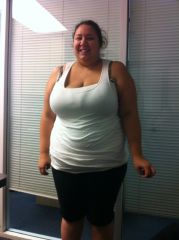
cali_nessa
LAP-BAND Patients
-
Joined
-
Last visited
-
 cali_nessa reacted to a post in a topic:
Did You Have To Do A Bowel Prep The Night Before Lap Band Surgery?
cali_nessa reacted to a post in a topic:
Did You Have To Do A Bowel Prep The Night Before Lap Band Surgery?
-
cali_nessa, a weight loss surgery photo album by cali_nessa on BariatricPal. 2 photos in Before and After Lap Band Photos.
-
I am 5 months post op and I did little to no exscersize the first 3 months, and weight was falling off, then it came to a screeching halt last month. So I signed up for the gym and weight started falling off again, I go 5-6 days a week, and I don’t kill myself allowing myself to go almost every day. Starting to go is the hardest, get past those first 2-3 weeks and I gurantee you it will get easier. Trust me, I never ever thought I would be someone who has to go, but I am now and feel bad when I don’t. Another great reason is my arms were starting to get a little saggy from the weight loss and this was unacceptable so now I go every day and do a half hour of cardio in an ideal heart rate then a 20 minutes of free weights to tone… Ive noticed my arms arnt as lose as they were…
-
first fill today.... nervous..eeeepp! Lost 23 lbs post op alone. Thinking I dont even need one! haha