LoLo'sLBLiving
LAP-BAND Patients
-
Joined
-
Last visited
-
-
-
-
-
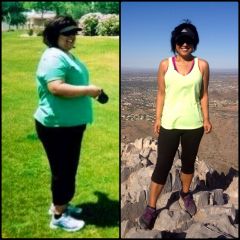
I hit goal on my 2 year Bandiversary & have maintained within my goal range for over a year now!
-
I hit goal on my 2 year Bandiversary, and I have maintained within my goal range for over a year now :)
-
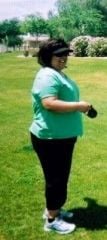
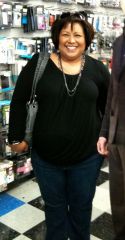
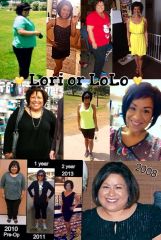
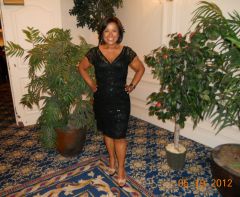
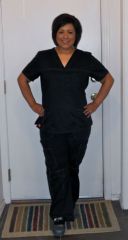
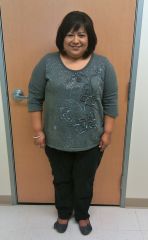
My Before & After Photos!
-
N8iveLoLo, a weight loss surgery photo album by LoLo'sLBLiving on BariatricPal. 2 photos in Member Photo Gallery.
-
Today is my One Year Bandiversary Boy what a year it has been! I am not at my goal yet, but I will get there. It's my race & my pace! I am off all of my blood pressure medications and I feel so much younger and healthier. Losing 75lbs will do that! Congrats to all my fellow December 2010 Bandsters! Can you believe it's been a year!
-
Hi Everyone! It has been some time since I have been on here. I just wanted to wish everyone a very Happy Thanksgiving! I am thankful for so many things this year, but mostly for my LapBand The weight loss has slowed significantly! I am just trucking along, and hope to be down another 5lbs by my one year Surgiversary date of December 6th, 2011. I am about 26lbs from my goal of a normal BMI.
-
-
Just checking in!!! It's been awhile... Things are moving a lot slower now that I am getting closer to my goal. I still have about 31 lbs to go. I just had my 7th fill yesterday, I am at 6.30cc total now in my Allergan 10cc band. I'm sticking to the clears for another day, then I will try thicker fluids or mushies. I am hoping this fill will help the scale start moving so I can get into the 150's!! I am so sick of the 160's. I have had horrendous gas with this fill. I really don't understand why because I have not eaten anything solid in over 24 hours! Sounds like some of us December Bandsters are doing very well, and some of us are dealing with a lot of stuff! Have a great rest of your week everyone!!
-
OH NO!!! Just take care of yourself and I hope it slips back into place! Let us know how it goes!
-
AMAZING job Vicky!!! You look fabulous!!! This morning I weighed in at 224.8 which means I have now lost 100.2 lbs!!! I am so happy and wanted to show all of ya'll a picture of me from this morning "wearing" the jeans that fit when I started this journey. I've posted some before and now pictures on my blog if you're interested.
-
Just checking in Weight loss has been slower these last few months. My hair is growing back YAY!! I feel so much better. I am off all of my BP meds. I visit the gym regularly, and I am hoping to reach my goal by my Surgiversary date, but if I don't I will eventually! It's great to see all my December 2010 Bandsters doing so well!!
-
My motto is one day at a time, and slow n steady wins the race! Congrats on getting into a size 14! Sometimes the scale doesn't show us what we want, but pictures and clothing do!
-
CONGRATS!!! I can't wait to hit the 100lb mark
-
Happy 4th of July all of my fellow December 2010 Bandsters
-
Hi My December Bandsters !! It has been awhile since I have been on here. It sounds like everyone is doing great! Congratualtions to all of you "losers" You all are an inspiration. I have been doing well. I have had 5 fills so far, and I am at 6cc in my 10cc band. I finally feel like I have some restriction. I have had about 4 stuck episodes in the 6 months since surgery that were not much fun! All 4 episodes were due to me eating something too fast, or the food was too dry. Other than these episodes, I have not had any problems. I did have a strange burning feeling deep inside my belly near my port side last week. It happened twice, and it seemed to be positional. My fear is that I have flipped my port. It is a little tender at times, and I definitely feel it more. I am not quite sure if this is due to me losing some of my belly fat, or if I should get it checked out. I am going to give it a week, and if I still feel discomfort, I will get to my doc. I am down 55lbs as of yesterday which was my 6 month Surgiversary date, and I could not be any happier!! I finally broke through a month long plateau and made it into the 170's! I <3 "Bertha" my band!! Have a great week everyone!
-
Hi all my fellow December Bandsters! Question time: How many fills have you all had? How many cc's are in your band? What kind of band & what size is it? Do you feel like you are at your sweet spot? I have had 4 fills I am at 5.75cc I have an Allergan Standard AP 10cc band I do feel like I have good restriction since last weeks fill