






11-May-2022b

By ms.sss
- 1,195 views
- View ms.sss's images
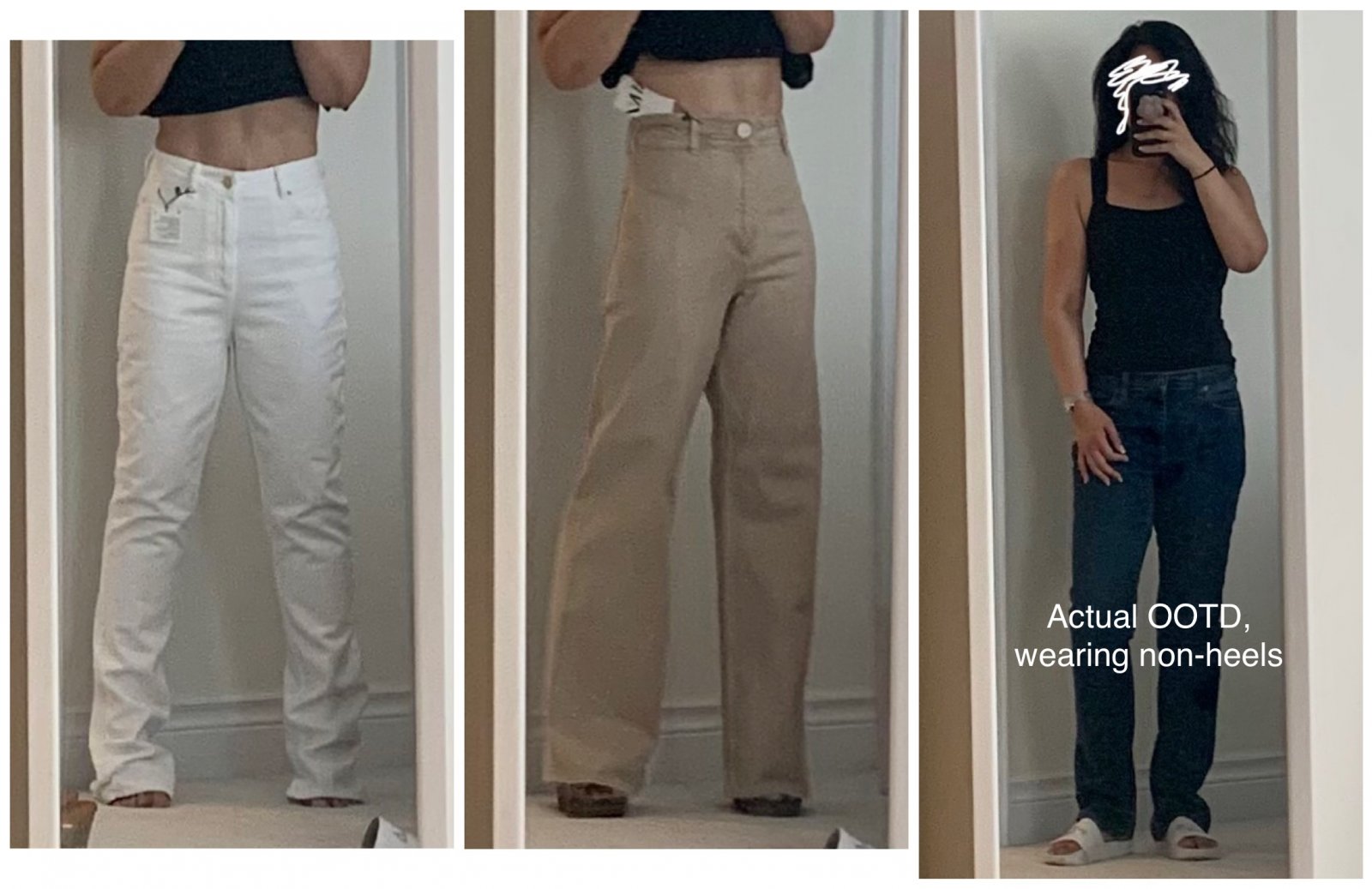
…I also have for you 2 new bottoms! I’ve been in the market for a pair of white jeans for Forever (like since 2019!) I thought these were winners until i put them on at home and can see the pockets lining through them! I hate that. They are going back. *Sigh* The beige ones are keepers as i LOVE how they make my legs look super long (doesn’t hurt that I’m wearing 3-inch clogs under there!) And finally the last pic is a true OOTD: what i actually wore during today’s shopping spree. This is what I normally look like most days (if i’m not going “out”): Jeans, some black top or other and comfy footwear ?
Recommended Comments
Join the conversation
You can post now and register later. If you have an account, sign in now to post with your account.