






Skip to content
View in the app

A better way to browse. Learn more.

BariatricPal

A full-screen app on your home screen with push notifications, badges and more.

To install this app on iOS and iPadOS
  1. Tap the Share icon in Safari
  2. Scroll the menu and tap Add to Home Screen.
  3. Tap Add in the top-right corner.
To install this app on Android
  1. Tap the 3-dot menu (⋮) in the top-right corner of the browser.
  2. Tap Add to Home screen or Install app.
  3. Confirm by tapping Install.
  • Appearance

2021-Oct-21

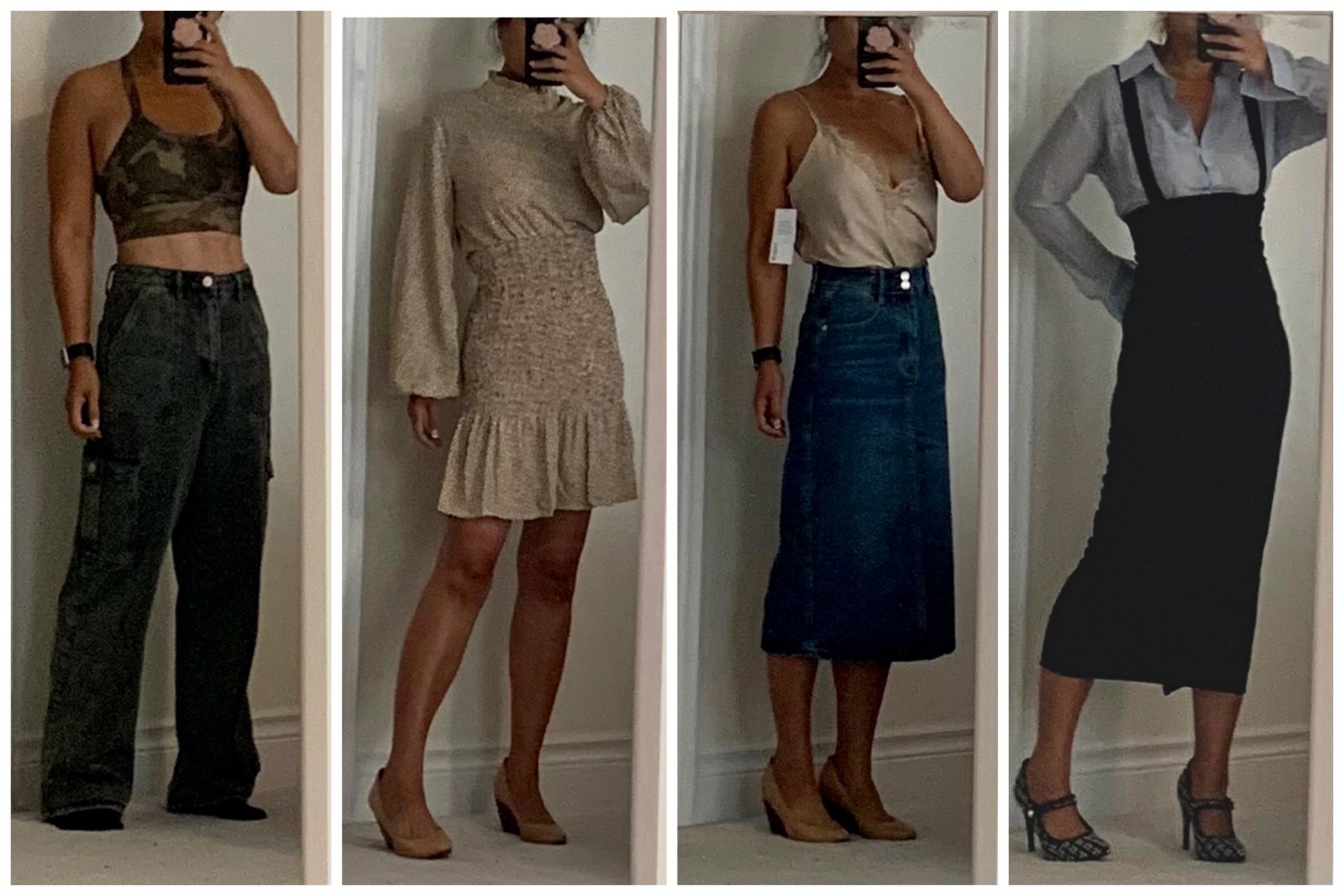
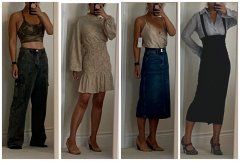
A subset of my latest online shopping delivery. Yes, I have a clothes shopping problem! L-R: grey wide leg cargo jeans; printed lantern sleeve dress with smocked waist; beige cami w/ high-waisted denim skirt; blue oxford top under high waist pencil skirt with removable straps...I really like this skirt but it is way too big (i'm holding the excess material in the back). This is the smallest size already so I'm contemplating if I should have it altered or just return it....

From the album:

ms.sss OOTDs

· 138 images

Account

Navigation

Search

Search

Configure browser push notifications

Chrome (Android)
  1. Tap the lock icon next to the address bar.
  2. Tap Permissions → Notifications.
  3. Adjust your preference.
Chrome (Desktop)
  1. Click the padlock icon in the address bar.
  2. Select Site settings.
  3. Find Notifications and adjust your preference.