

Skip to content
View in the app

A better way to browse. Learn more.

BariatricPal

A full-screen app on your home screen with push notifications, badges and more.

To install this app on iOS and iPadOS
  1. Tap the Share icon in Safari
  2. Scroll the menu and tap Add to Home Screen.
  3. Tap Add in the top-right corner.
To install this app on Android
  1. Tap the 3-dot menu (⋮) in the top-right corner of the browser.
  2. Tap Add to Home screen or Install app.
  3. Confirm by tapping Install.
  • Appearance

2021-Oct-13

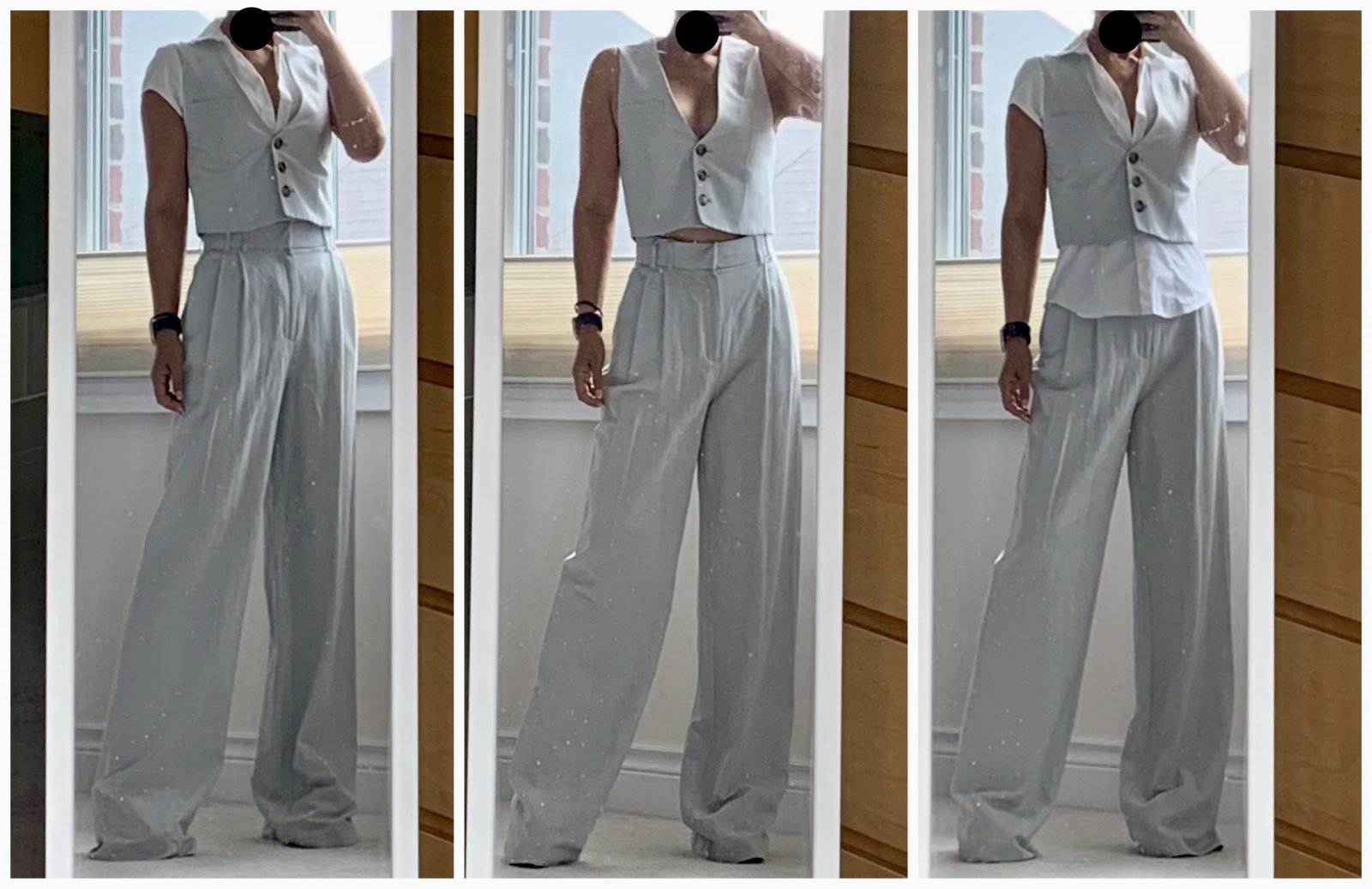
I can't stop buying clothes. Which is pretty ridiculous really cuz I don't really have anywhere to go to wear most of them. Le sigh. This morning's Bargain du Jour: 2 pieces of a 3-piece blue-grey linen suit that was on clearance. Which i got a further 50% off of because the jacket was missing for the set, and I didn't want a larger one that was available. Yay deals! I'll need to get the pants hemmed (i'm already wearing 3.5 inch heels under there but they are still way too long, jeez. And I want to change the tortoiseshell looking buttons on the vest to covered ones in the same material to make it all fancier. Add a belt and slingbacks and i'm ready to go.....nowhere. Whomp whomp. With a shirt tucked in, with no shirt, with a shirt un-tucked. I like it best with no shirt, but if I did wear one, I think a long sleeved one would look better.

From the album:

ms.sss OOTDs

· 138 images

Account

Navigation

Search

Search

Configure browser push notifications

Chrome (Android)
  1. Tap the lock icon next to the address bar.
  2. Tap Permissions → Notifications.
  3. Adjust your preference.
Chrome (Desktop)
  1. Click the padlock icon in the address bar.
  2. Select Site settings.
  3. Find Notifications and adjust your preference.