









By ms.sss
- 1,425 views
- View ms.sss's images
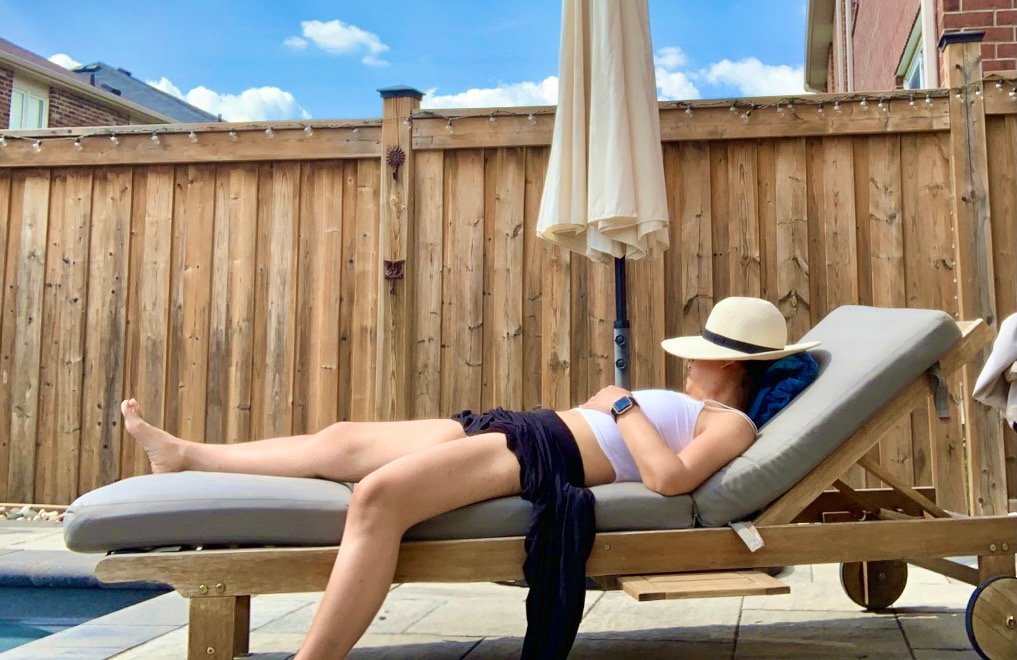
I haven't been wearing anything worth posting so I'm empty handed today. HOWEVER, for funsies, here is one of the least unflattering of the many truly unflattering pics that I found on my phone this morning. I've been hanging out by BFFs pool alot given the fabulous weather we have been having, and yesterday it seems she took to taking a bunch of pics of me with my phone as I was asleep on the lounger. Why? To point and laugh at me later apparently.
Multiple choice question:
This is a pic of me after having too much:
a) sun
b) liquor
c) sugar
d) all of the above.
Recommended Comments
Join the conversation
You can post now and register later. If you have an account, sign in now to post with your account.