







Skip to content
View in the app

A better way to browse. Learn more.

BariatricPal

A full-screen app on your home screen with push notifications, badges and more.

To install this app on iOS and iPadOS
  1. Tap the Share icon in Safari
  2. Scroll the menu and tap Add to Home Screen.
  3. Tap Add in the top-right corner.
To install this app on Android
  1. Tap the 3-dot menu (⋮) in the top-right corner of the browser.
  2. Tap Add to Home screen or Install app.
  3. Confirm by tapping Install.

May 2012

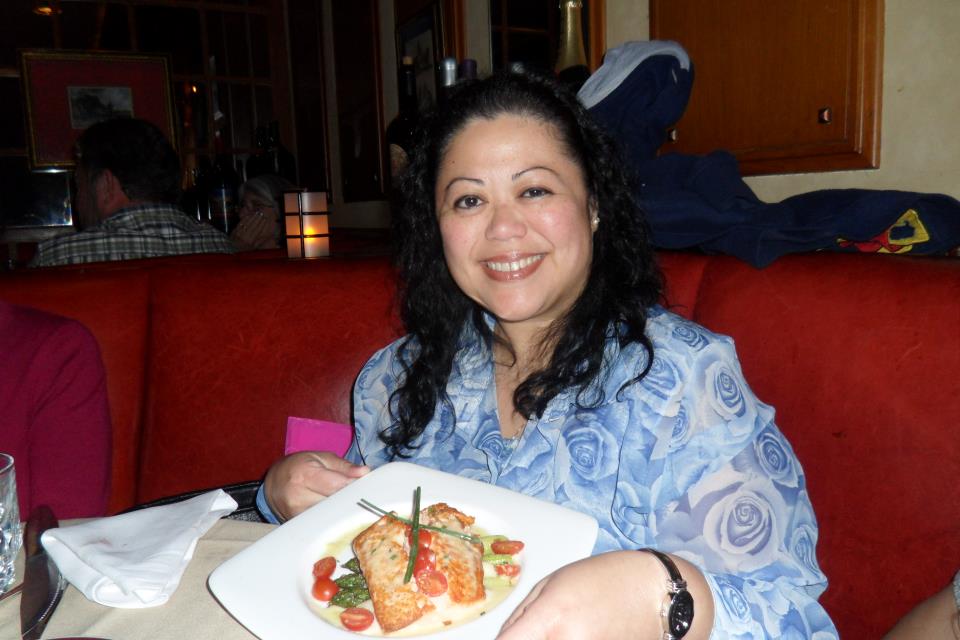
Me on my hubby's birthday, May 22, 2012. Just a few days shy of 2 months post surgery, and about 80 lbs down since December 2011. I'm pictured with a salmon entree that I ordered from a prime rib specialty restaurant. I ate about 1/6th of that salmon on my plate and had only one bite of the cooked asparagus. Eating habits have definitely changed for the better thank goodness!

From the album:

Me and My Progress

· 4 images

Account

Navigation

Search

Search

Configure browser push notifications

Chrome (Android)
  1. Tap the lock icon next to the address bar.
  2. Tap Permissions → Notifications.
  3. Adjust your preference.
Chrome (Desktop)
  1. Click the padlock icon in the address bar.
  2. Select Site settings.
  3. Find Notifications and adjust your preference.