Skip to content
View in the app

A better way to browse. Learn more.

BariatricPal

A full-screen app on your home screen with push notifications, badges and more.

To install this app on iOS and iPadOS
  1. Tap the Share icon in Safari
  2. Scroll the menu and tap Add to Home Screen.
  3. Tap Add in the top-right corner.
To install this app on Android
  1. Tap the 3-dot menu (⋮) in the top-right corner of the browser.
  2. Tap Add to Home screen or Install app.
  3. Confirm by tapping Install.
  • Appearance

  • Entry

    1
  • Comments

    3
  • Views

    1,035

About this blog

3 weeks post op

Entries in this blog

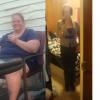
Today is my 3 weeks out of surgery! Loving it! I am now on pureed foods (which isn't so bad)...sometimes things upset my stomach even though they didn't at first. Its going to have to be process of elimination on what I can and cannot eat. The only other issue I am having is I am soooo thirsty I feel like I can never drink enough WHICH to me is worse than feeling hungry LOL. Other than those two things I am extremely motivated and energetic. I'm down 20+ lbs. I personally DO NOT see a change BUT

Account

Navigation

Search

Search

Configure browser push notifications

Chrome (Android)
  1. Tap the lock icon next to the address bar.
  2. Tap Permissions → Notifications.
  3. Adjust your preference.
Chrome (Desktop)
  1. Click the padlock icon in the address bar.
  2. Select Site settings.
  3. Find Notifications and adjust your preference.