




Skip to content
View in the app

A better way to browse. Learn more.

BariatricPal

A full-screen app on your home screen with push notifications, badges and more.

To install this app on iOS and iPadOS
  1. Tap the Share icon in Safari
  2. Scroll the menu and tap Add to Home Screen.
  3. Tap Add in the top-right corner.
To install this app on Android
  1. Tap the 3-dot menu (⋮) in the top-right corner of the browser.
  2. Tap Add to Home screen or Install app.
  3. Confirm by tapping Install.
  • Appearance

  • Entries

    2
  • Comments

    4
  • Views

    723

About this blog

Pre-op Diet, a weight loss surgery blog by Garlandfam on BariatricPal. 2 entries on surgery, recovery and progress.

Entries in this blog
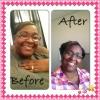
Today I finished the last of my pre-op stuff...Last of the labs, my EKG, an anesthesiologist, paperwork completed and now I only need a time which I will find out on Friday! So excited! I have been doing really well on my 1000 cal diet which is second nature now...and have lost about 10 pounds so far! 4 days and a wake! Let the journey truly begin...so excited did I say that already! Good luck everyone!
I started my pre-op diet today and I would have to say this was the hardest ever...trying to get all the protein and under the 1000 calories! Boy I tell you...I know this is day one and I am just getting started and hoping that it will come easy hopefully sooner than later! My husband is so awesome because he is counting those calories too, to ensure I am getting the right amount of everything! Gotta love him! Does anyone have a calorie counter that is accurate I am using two different ones to c

Account

Navigation

Search

Search

Configure browser push notifications

Chrome (Android)
  1. Tap the lock icon next to the address bar.
  2. Tap Permissions → Notifications.
  3. Adjust your preference.
Chrome (Desktop)
  1. Click the padlock icon in the address bar.
  2. Select Site settings.
  3. Find Notifications and adjust your preference.