



Skip to content
View in the app

A better way to browse. Learn more.

BariatricPal

A full-screen app on your home screen with push notifications, badges and more.

To install this app on iOS and iPadOS
  1. Tap the Share icon in Safari
  2. Scroll the menu and tap Add to Home Screen.
  3. Tap Add in the top-right corner.
To install this app on Android
  1. Tap the 3-dot menu (⋮) in the top-right corner of the browser.
  2. Tap Add to Home screen or Install app.
  3. Confirm by tapping Install.
  • Entries

    2
  • Comments

    5
  • Views

    1354

About this blog

My Fill

Entries in this blog
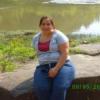
This is the most wonderful and emotional feeling in the world...Yesterday i put on a pair of 18 jeans and I almost cried, it was good tears... im finally under 200 lbs and it excites me everytime someone notices, friends and other family members, it was really getting to me because i got all these positive comments from everyone else except my husband, untill yesterday i saw my husbands face light up when i walked into a room, with my size 18 jeans and a lg not a 2x shirt and he told me that i l
Well i recived my first fill it went really good, definitaly feel the restrication more, its really awsome to be back on track i now have 3.2cc in and things are going good, luv hearing about the success stories, it inspires me and keeps me motivated...

Account

Navigation

Search

Search

Configure browser push notifications

Chrome (Android)
  1. Tap the lock icon next to the address bar.
  2. Tap Permissions → Notifications.
  3. Adjust your preference.
Chrome (Desktop)
  1. Click the padlock icon in the address bar.
  2. Select Site settings.
  3. Find Notifications and adjust your preference.
