



Skip to content
View in the app

A better way to browse. Learn more.

BariatricPal

A full-screen app on your home screen with push notifications, badges and more.
To install this app on iOS and iPadOS
  1. Tap the Share icon in Safari
  2. Scroll the menu and tap Add to Home Screen.
  3. Tap Add in the top-right corner.
To install this app on Android
  1. Tap the 3-dot menu (⋮) in the top-right corner of the browser.
  2. Tap Add to Home screen or Install app.
  3. Confirm by tapping Install.
  • Entry

    1
  • Comment

    1
  • Views

    298

Entries in this blog

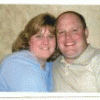
Hi, my name is donna and my husband and i are making this journey together. We are very close to the end and can't wait for a date.   I have about 11pds to go and he has just met his weight goal. We attened our 1st support group meeting, and we have one class to attend on the 19th. Then it's waiting for a date.   My husband lost his father to obestity about 10yrs ago and we want to make sure this never happens to us. We have 3 boys and want to insure good healthy eating and promote exercise

Account

Navigation

Search

Search

Configure browser push notifications

Chrome (Android)
  1. Tap the lock icon next to the address bar.
  2. Tap Permissions → Notifications.
  3. Adjust your preference.
Chrome (Desktop)
  1. Click the padlock icon in the address bar.
  2. Select Site settings.
  3. Find Notifications and adjust your preference.
