



Skip to content
View in the app

A better way to browse. Learn more.

BariatricPal

A full-screen app on your home screen with push notifications, badges and more.

To install this app on iOS and iPadOS
  1. Tap the Share icon in Safari
  2. Scroll the menu and tap Add to Home Screen.
  3. Tap Add in the top-right corner.
To install this app on Android
  1. Tap the 3-dot menu (⋮) in the top-right corner of the browser.
  2. Tap Add to Home screen or Install app.
  3. Confirm by tapping Install.
  • Entries

    2
  • Comments

    2
  • Views

    818

About this blog

September 6, 2007 and Beyond

Entries in this blog
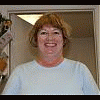
This morning I walked for over an hour. Susan and I went up and down the streets here at the north end of the beach looking at all the construction going on. We had such a good time. We just walked and walked and before we knew it, she looked at her watch and said we had been at it for over an hour. This was the first time I've seen her since surgery. She was amazed. She said my face is getting defined and my legs and everything is smaller. She can really tell I'm down 28#. I feel so good toda
I had the lapband procedure done this past Thursday, September 6, 2007. Dr. Mark Fontana with the Norfolk Surgical Group did mine. I had seen him a few times since the initial education session back in February. Nilda was my favorite nurse. She waited on me happily and came in just to check on me and we'd share a laugh or two. She took great care with me and I really appreciated it. I told her about Kristina having it Oct. 10th. I hope Kristina gets her! I am on a full liquid diet now. So toda

Account

Navigation

Search

Search

Configure browser push notifications

Chrome (Android)
  1. Tap the lock icon next to the address bar.
  2. Tap Permissions → Notifications.
  3. Adjust your preference.
Chrome (Desktop)
  1. Click the padlock icon in the address bar.
  2. Select Site settings.
  3. Find Notifications and adjust your preference.
