Skip to content
View in the app

A better way to browse. Learn more.

BariatricPal

A full-screen app on your home screen with push notifications, badges and more.

To install this app on iOS and iPadOS
  1. Tap the Share icon in Safari
  2. Scroll the menu and tap Add to Home Screen.
  3. Tap Add in the top-right corner.
To install this app on Android
  1. Tap the 3-dot menu (⋮) in the top-right corner of the browser.
  2. Tap Add to Home screen or Install app.
  3. Confirm by tapping Install.
  • Appearance

Join BariatricPal free

  • Ask your own questions
  • Reply and follow topics
  • Message other members
  • No cost, no spam

JenStaes

Gastric Sleeve Patients
  • Joined

  • Last visited

  1.    JenStaes reacted to a post in a topic: Before and After Pics
  2.    JenStaes reacted to a post in a topic: Before and After Pics
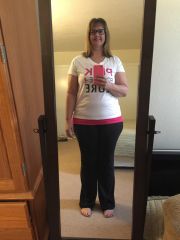
  3. Images added to a gallery album owned by JenStaes in Before and After Gastric Sleeve Photos
    JenStaes, a weight loss surgery photo album by JenStaes on BariatricPal. 1 photo in Before and After Gastric Sleeve Photos.
  4. @@minniegirl you don't have to drink a lot of the stuff for the leak test, maybe equivalent to 2 shots...but everything besides that was fine. I came home on Saturday (1 night in the hospital) and have been doing well. My stomach is still a little sore but it's getting better each day. Have to remember not to try and do too much to soon because I can definitely feel it!
  5. I just had surgery on Friday, 2/6, I was only in the hospital 1 night and came home yesterday. I feel pretty good just a lot of abdominal soreness. Feels like I visited the trainer from bell and did a bazillion sit ups and then some more. Getting used to taking sips of liquid instead of gulps is challenging but I am sure I will get used to it. The worst part for me was the leak test they do and you have to drink this barium dye stuff so they can see if there are any leaks in the sleeve. I had nausea and didn't throw up....until the leak test. ???? good luck!! I am sure you will do great!! ????


Account

Navigation

Search

Search

Configure browser push notifications

Chrome (Android)
  1. Tap the lock icon next to the address bar.
  2. Tap Permissions → Notifications.
  3. Adjust your preference.
Chrome (Desktop)
  1. Click the padlock icon in the address bar.
  2. Select Site settings.
  3. Find Notifications and adjust your preference.