



Prep for success tools
- Views 443
- Created
- Last Reply
Posted Images
Featured Replies
Join the conversation
You can post as a guest; create a free account to track replies, follow topics, and be part of the largest weight loss surgery community.

A better way to browse. Learn more.
A full-screen app on your home screen with push notifications, badges and more.
Join BariatricPal free
You can post as a guest; create a free account to track replies, follow topics, and be part of the largest weight loss surgery community.
Find support for your bariatric or GLP-1 journey. Save helpful conversations and take part when you are ready.
Choose your email preferences on the registration form.
Already a member? Sign in
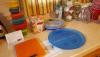
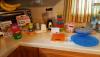
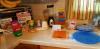
My pureed food stage started yesterday, vsg was on 9/1/16. Today I gathered up some of my kitchen tools I had previously, and some I purchased pre surgery. Having small containers that are pre-marked with portioning for measured amounts I can have now, and in the future takes the guess work out of it! The digital scale was purchased from Avon, as were the colored square portion containers. The small food processor was about $10. and I don't have to drag out my big one! Same thing with the mini blender also inexpensive. My NUT gave me the portion plate and had the mini diet scale. The Perfect Portion cups were from Marshalls @ 6.99. All are microwave and freezer safe.
Now just looking for some good recipes and meal plans to stay on track!!

