Skip to content
View in the app

A better way to browse. Learn more.

BariatricPal

A full-screen app on your home screen with push notifications, badges and more.

To install this app on iOS and iPadOS
  1. Tap the Share icon in Safari
  2. Scroll the menu and tap Add to Home Screen.
  3. Tap Add in the top-right corner.
To install this app on Android
  1. Tap the 3-dot menu (⋮) in the top-right corner of the browser.
  2. Tap Add to Home screen or Install app.
  3. Confirm by tapping Install.

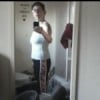
Two and a half month update...

HW: 228 (June 2014)

SW: 216 (July 16, 2014)

CW: 179 (September 27, 2014)

I am 5'1"

I am a slow loser, but I am making progress. I was squeezing into a 16W and now I am a loose 14, snug 12. I am able to exercise and move so much better. I still have not met the 60 grams of Protein goal each day (sometimes just 3 times a week). I can eat so little, it is hard to get it all in. I am thankful I did this! I have quite a ways to go, but I now have hope - something I have not had in such a long time! :)

:)

  • Replies 1
  • Views 807
  • Created
  • Last Reply

Featured Replies

I, too, had trouble reaching my protein goals. And was told by my NUT, not to eat ANYTHING that was not high protein, low carb, low fat. Took me 18 months before I could include non-starchy veggies in my diet.

Archived

This topic is now archived and is closed to further replies.

Trending Products

PatchAid Vitamin Patches

Account

Navigation

Search

Search

Configure browser push notifications

Chrome (Android)
  1. Tap the lock icon next to the address bar.
  2. Tap Permissions → Notifications.
  3. Adjust your preference.
Chrome (Desktop)
  1. Click the padlock icon in the address bar.
  2. Select Site settings.
  3. Find Notifications and adjust your preference.