Skip to content
View in the app

A better way to browse. Learn more.

BariatricPal

A full-screen app on your home screen with push notifications, badges and more.

To install this app on iOS and iPadOS
  1. Tap the Share icon in Safari
  2. Scroll the menu and tap Add to Home Screen.
  3. Tap Add in the top-right corner.
To install this app on Android
  1. Tap the 3-dot menu (⋮) in the top-right corner of the browser.
  2. Tap Add to Home screen or Install app.
  3. Confirm by tapping Install.
  • Cart

Help?

I got a voicemail from my insurance(Aetna) which said she wanted to discuss some incentive program and then it was also a courtesy call for my upcoming procedure and to give her a call back. Has this happened to anyone? Does this mean I got approved? I'm so confused and sooo nervous!!

  • Replies 5
  • Views 861
  • Created
  • Last Reply

Featured Replies

Weird... I haven't heard of that. Call her back and find out what's upppp!

Yes this is a good thing. Your company provides you a nurse to assist with any questions about your upcoming procedure and post op. It appears you were approved.

  • Author

Okay, I'm hoping so! Thanks!

  • 4 weeks later...
I got a voicemail from my insurance(Aetna) which said she wanted to discuss some incentive program and then it was also a courtesy call for my upcoming procedure and to give her a call back. Has this happened to anyone? Does this mean I got approved? I'm so confused and sooo nervous!!

Yes u most be approved if u got a call like that :-) happy 4 you

  • Author

Yes u most be approved if u got a call like that :-) happy 4 you

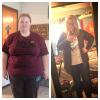
Thank you! I got approved and actually just had my surgery on May 28th! Down 30 pounds from pre-op diet to now :)

Archived

This topic is now archived and is closed to further replies.

Trending Products

PatchAid Vitamin Patches

Account

Navigation

Search

Search

Configure browser push notifications

Chrome (Android)
  1. Tap the lock icon next to the address bar.
  2. Tap Permissions → Notifications.
  3. Adjust your preference.
Chrome (Desktop)
  1. Click the padlock icon in the address bar.
  2. Select Site settings.
  3. Find Notifications and adjust your preference.